The Panel Behind the Prompt: OSINT into a Live Lunex Stealer Network
OSINT follow-up to the ClickFix/CAPTCHA campaign: six confirmed Lunex stealer C2 panels across five countries, including a Cloudflare-hidden instance on a Google-impersonating domain. Cookie theft, credential harvesting, real-time JavaScript injection, browser spoofing, and full remote browser control -- documented from the observable panel interface.
The views and opinions expressed in this post are my own and do not represent those of my employer. This is a personal blog where I share research and things I am learning.
TL;DR – Following up on the ClickFix/CAPTCHA campaign post, passive OSINT surfaced six live Lunex stealer C2 panels across the US, Finland, Germany, the Netherlands, and Ukraine – plus a panel hiding behind Cloudflare on a domain designed to impersonate Google API traffic in network logs. This post documents what Lunex does once it has a foothold: cookie and credential theft, browser history and tab enumeration, real-time JavaScript injection, content spoofing, on-demand screenshots, and full remote browser control. It is built for financial fraud and identity theft – not just credential collection.
Do these first:
- Block connections to the IOC IPs and domains below, particularly on port 8000
- Enable PowerShell Script Block Logging (Event ID 4104) if not already active
- Audit and baseline browser extensions across your endpoints via MDM/Group Policy
- Hunt for connections to
api-goo-drivehosting[.]com– designed to look like Google in logs- Review session replay anomalies: impossible travel, new-IP authentication alerts
A thread I left dangling
In my last post I noted, almost as an aside, that the ClickFix campaign delivered a Rust stealer beaconing to a C2 panel named Lunex – bilingual, Russian and English, visible on the public internet via OSINT. I did not go deep on it at the time. I was focused on the delivery chain and the payloads.
That mention stuck with me. So I went back and looked harder.
The C2 IP from the original sample – 94.154.32[.]21 – was hosting more than a stealer endpoint. A Lunex panel was running on port 8000 of the same IP. And once I started looking at that panel’s fingerprint, more started appearing.
I want to address the screenshots upfront. I kept visuals minimal in the original post – the analysis was about the malware mechanics and a screenshot of a PowerShell blob does not add much. This post is different. The goal here is to document what Lunex does: the interface makes the capability set explicit, and screenshots are the clearest way to convey it. All images have been redacted to protect any identifiable information. The welcome post says: code over screenshots – real snippets you can read, copy, and grep for. This is one of the exceptions. You cannot grep a UI.
The attack, briefly
For anyone arriving without the previous post: ClickFix is a social engineering technique where victims land on a page – typically a fake CAPTCHA or browser verification prompt – that instructs them to paste a command into a Run dialog or PowerShell window. In this campaign, the page at captcha-code[.]lol delivered a five-layer RC4-gzip PowerShell loader that ultimately dropped the Lunex infostealer, a Rust binary that force-installed a malicious browser extension, enumerated every active Windows logon session via LSA APIs, and performed Active Directory user and group reconnaissance.
The Lunex stealer is what phones home. It connects to the C2 panel and registers the compromised machine as a “bot.” From that point on, the operator has a live window into the victim’s browser.
The OSINT trail
Lunex panels are React single-page applications served by nginx. The React build includes a JavaScript bundle with a fingerprint-able hash in its filename. The Go-based REST API backend exposes a distinct CORS header pattern. Every deployment shares the same favicon – a unique MD5 hash (b9251db3aa9511157cba432c0b5402fc) that persists across all builds and serves as a reliable search fingerprint.
Starting from Shodan – title matching, JS bundle hash, nginx version, API response signature – and expanding to Validin queries across favicon hash, body hash, and server/title/length combinations, 212 raw records resolved to 16 unique IP:port pairs. After filtering Cloudflare edge IPs (whose real origins are hidden) and validating each remaining host, the cluster came into focus.
Six confirmed operator panels. Five countries. All active at time of investigation.
Timeline: the pace of modern operations
This is worth stopping on. The panel creation dates visible in the infrastructure data tell a story about operational tempo.
| Date | Activity |
|---|---|
| 2026-05-14 | Germany panel deployed – Build 1 (CG6H0oQg) |
| 2026-05-15 | Finland panel deployed – Build 3 (CFGtIMyC, hotfix of Build 1) |
| 2026-05-26 | Ireland panel deployed – Build 2 (2SU4Xl4H) |
| 2026-06-04 | 94[.]154[.]32[.]21 panel deployed – Build 1 redeployed |
| 2026-06-05 | api-goo-drivehosting[.]com registered; Cloudflare-hidden panel with newest build deployed |
| 2026-06-11 | Original ClickFix campaign post published |
| 2026-06-13 | This OSINT follow-up conducted |
Less than thirty days from first confirmed panel to six active deployments across five countries. Four distinct panel builds in that same window. The Cloudflare-hidden panel and its Google-impersonating domain were stood up and running a newer build within a month of the first deployment.
Threat actors are not waiting for researchers to catch up.
Inside Lunex: how the panel works
The Lunex panel is clean and purposeful. If you pulled it up without context, it could pass for a SaaS analytics dashboard. That is clearly intentional.
The dashboard
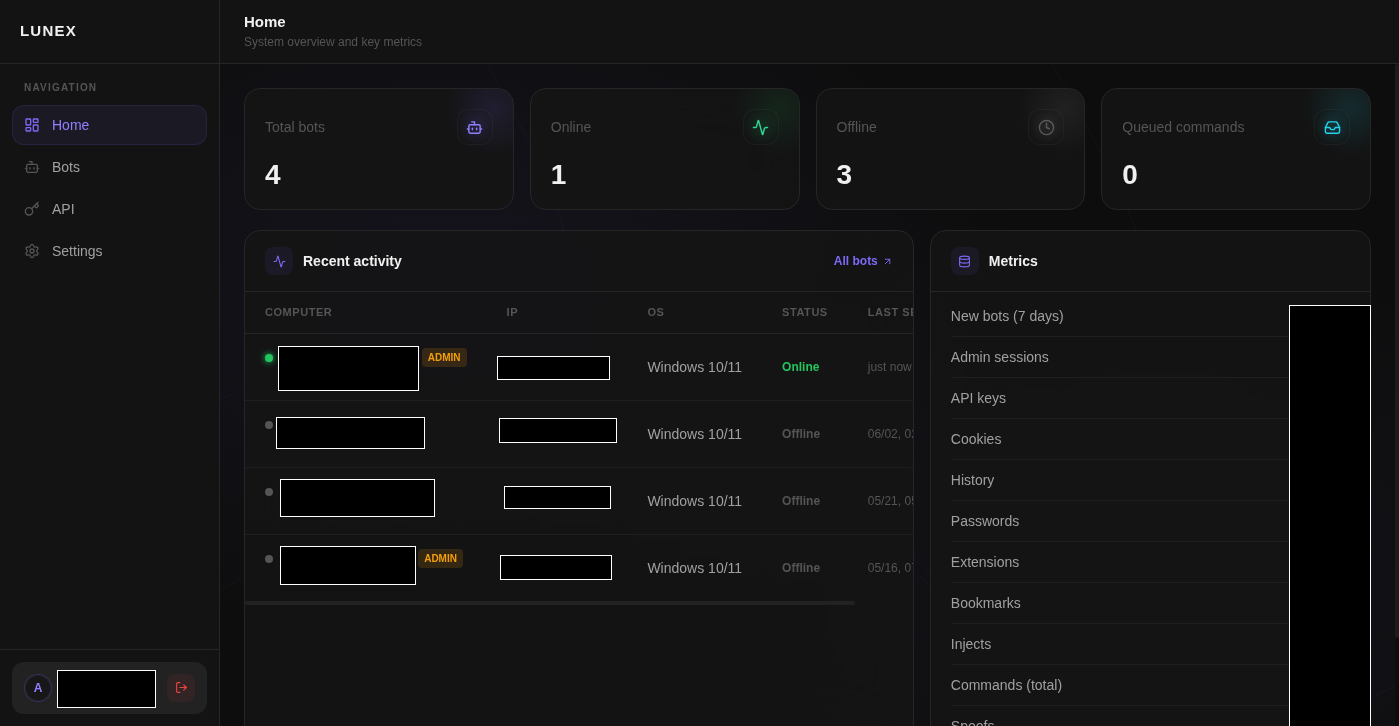
The operator’s landing view is an aggregated statistics panel: total bots online and offline, cookies collected, passwords harvested, browser history volume, extensions, bookmarks, and open tabs. One view, complete operational picture.
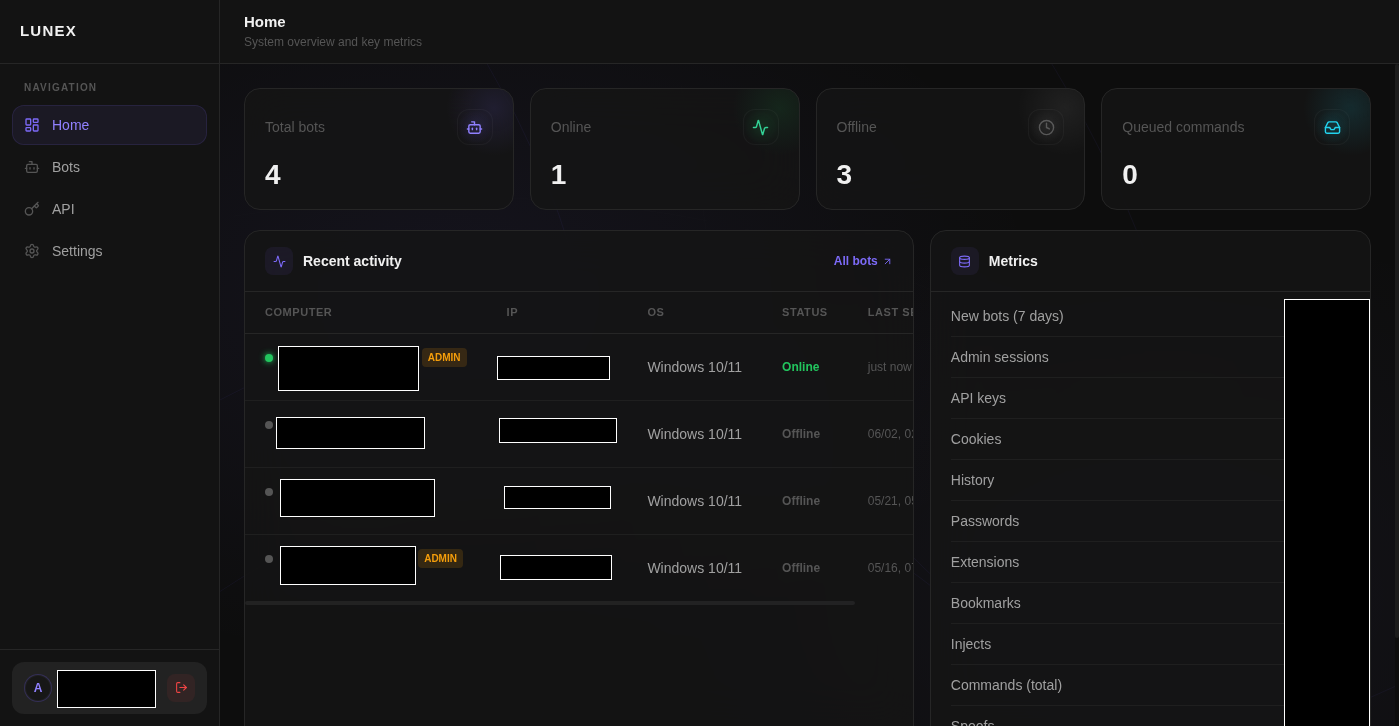 The Lunex operator dashboard. Data volume and live bot status at a glance.
Bot telemetry
Each compromised machine registers as a “bot” entry. The panel records: hostname, username, operating system version, CPU model, RAM, public IP address, timezone, browser language, and whether the current session carries administrator privileges. Admin status is explicitly flagged – operators can prioritise high-value targets.
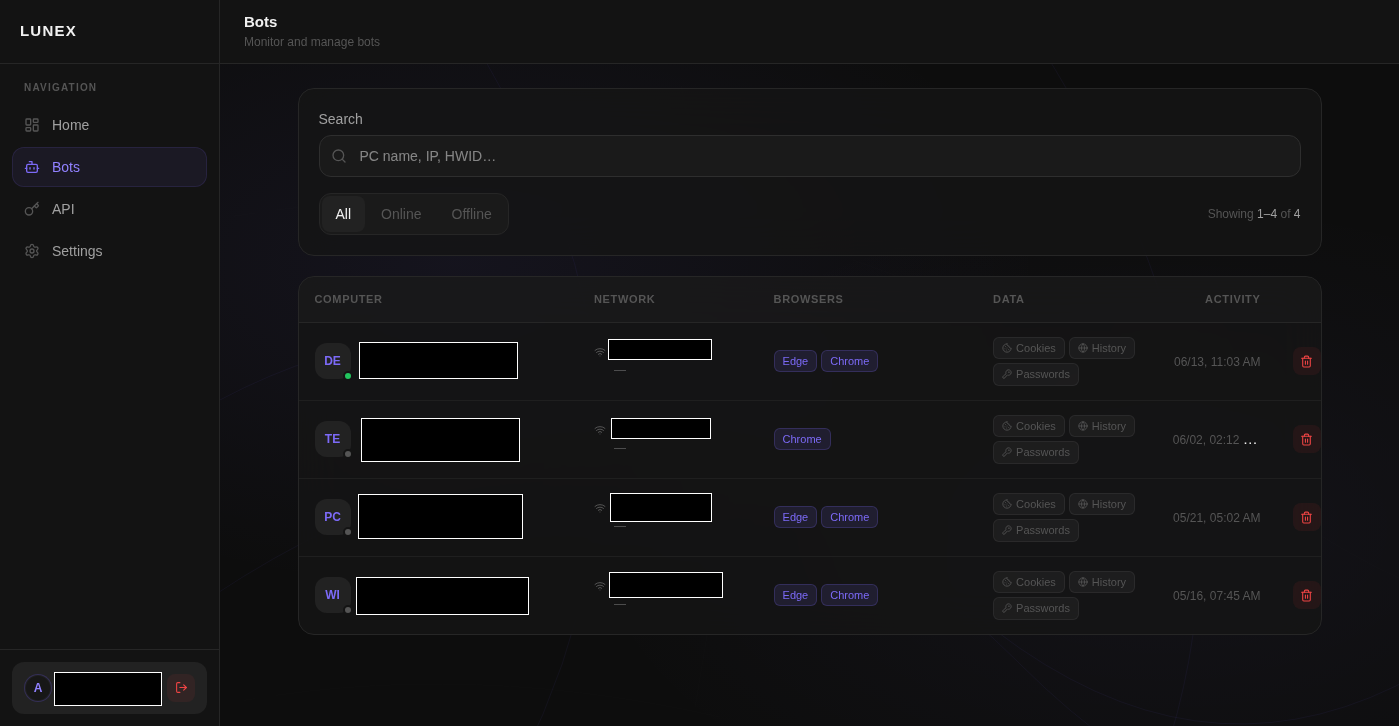 Bot listing. Each row is a compromised machine. Admin flag, IP, and last-seen timestamp are front-of-house.
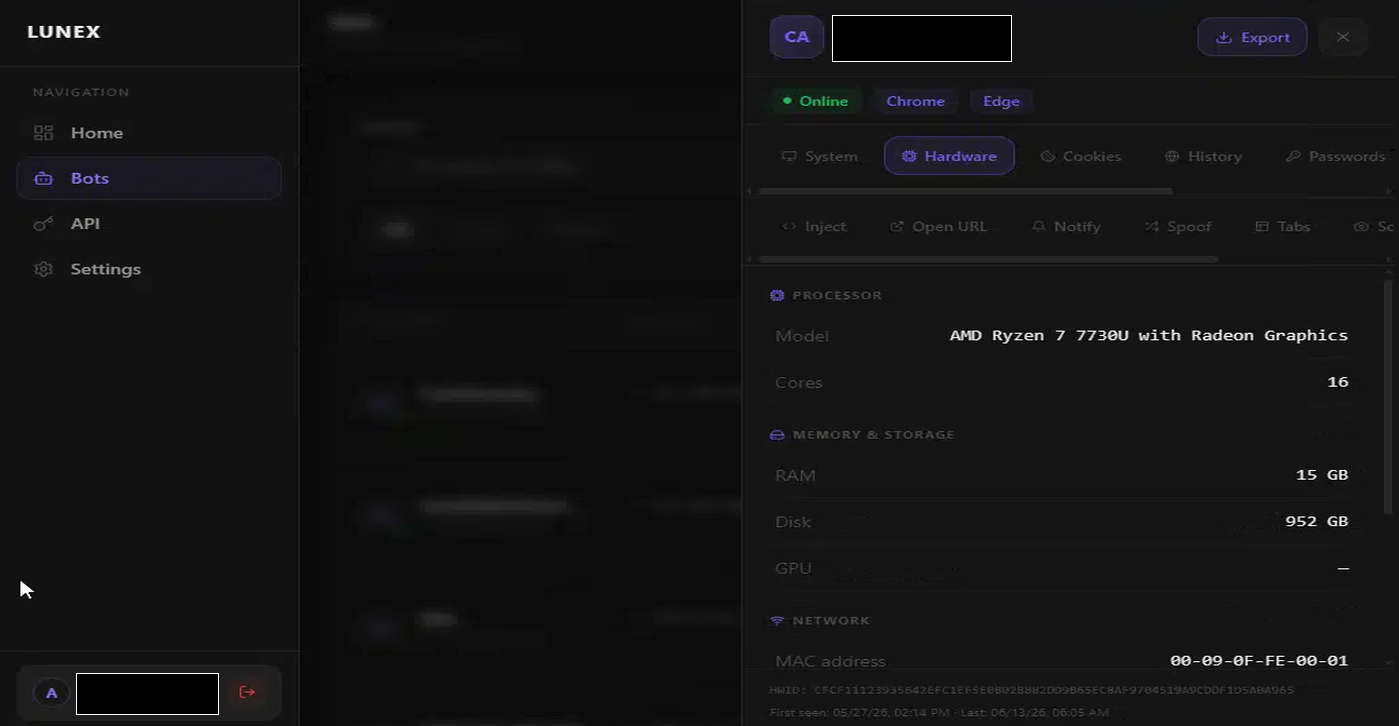 Per-bot system profile. OS version, hardware, and network details stored on first beacon.
Browser data theft
The bulk of what Lunex collects is browser data. Per-bot panels break down into individual collection categories.
Cookies – every cookie from every browser profile on the machine, indexed by domain and stored in the panel. The operator can filter by domain to target specific platforms – banking sites, crypto exchanges, payment processors. A valid session cookie bypasses the password entirely, and in many cases bypasses MFA too.
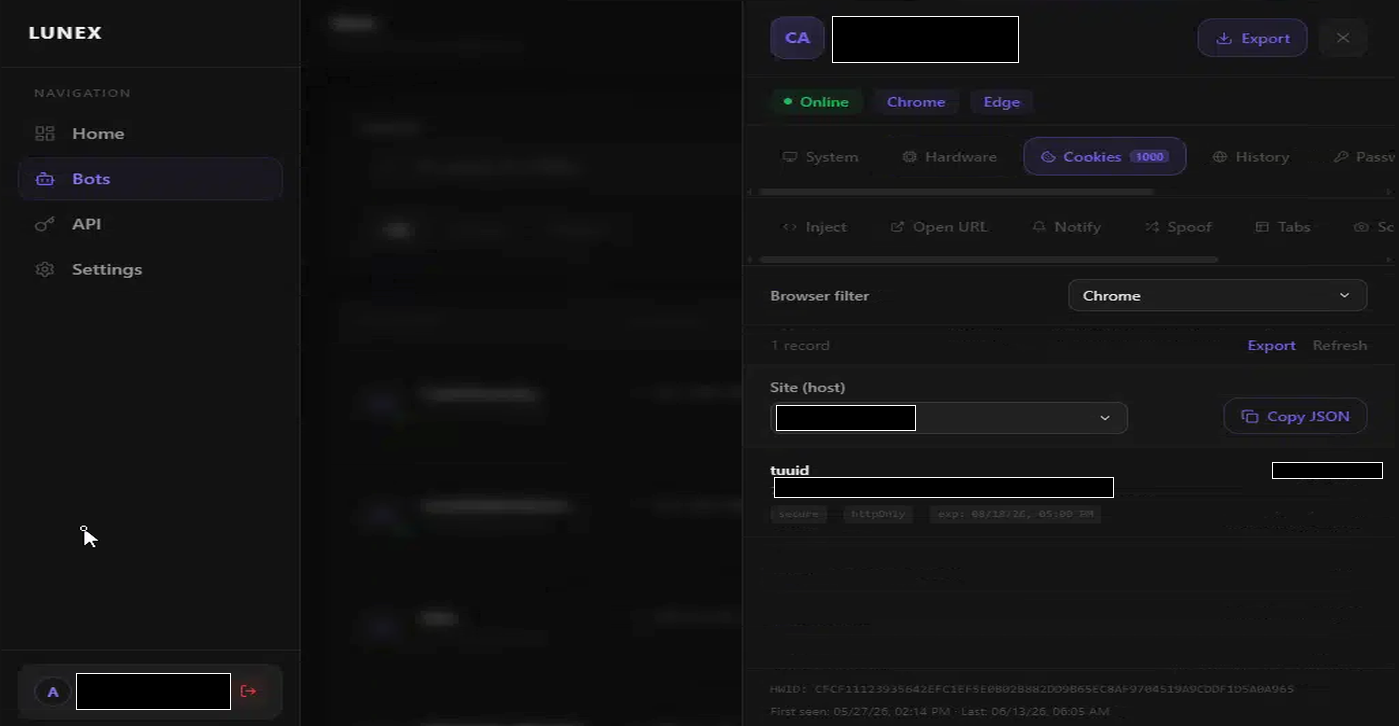 Stolen cookies, indexed by domain per bot. An operator can filter for banking or crypto domains specifically.
Passwords – saved browser credentials, pulled from the browser’s internal credential store and decrypted. The panel displays site URL, username, and cleartext password. DPAPI-protected storage is not protection against a process running as the same user.
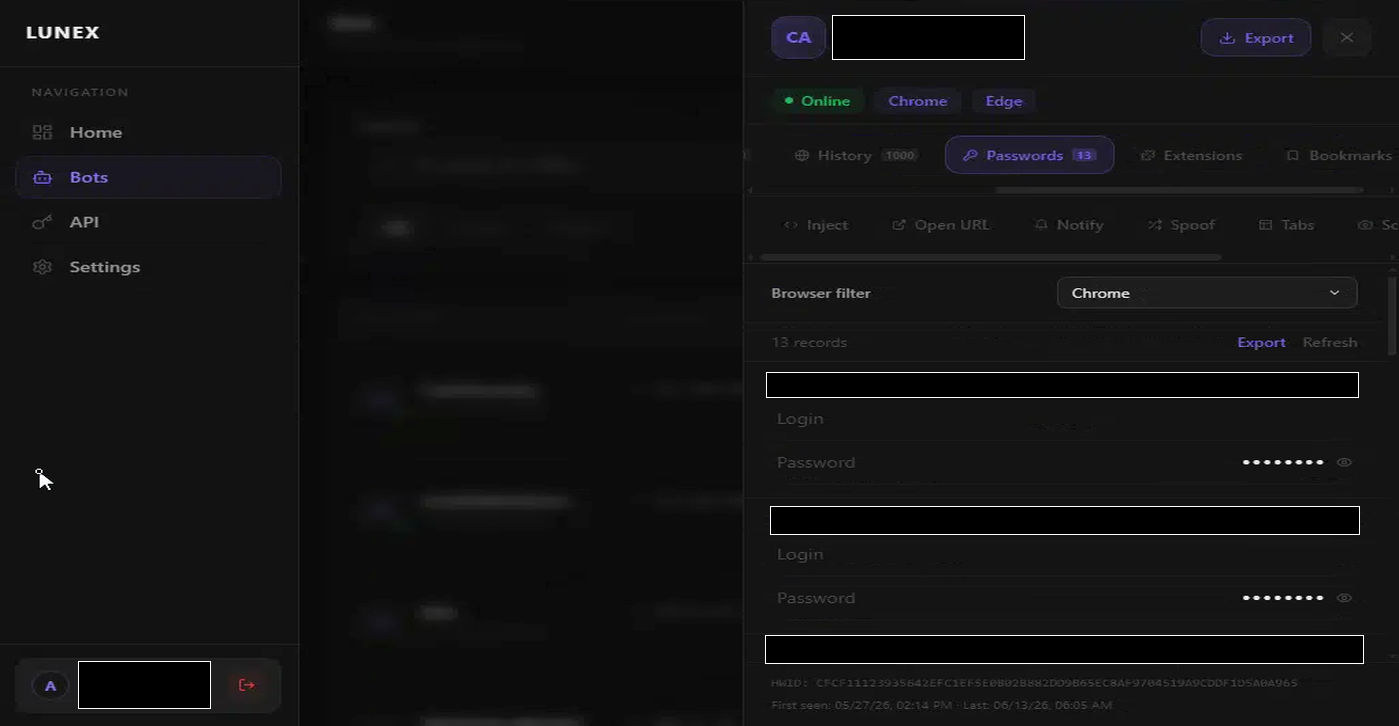 Harvested passwords. Site URL, username, and cleartext password. Browser-saved credentials come out decrypted.
Browser history – full visit history, timestamp-indexed. History tells an operator which banks the victim uses, whether they have crypto exchange accounts, and what platforms they authenticate to. It is reconnaissance for the follow-on attack – even without the passwords, history narrows the target list.
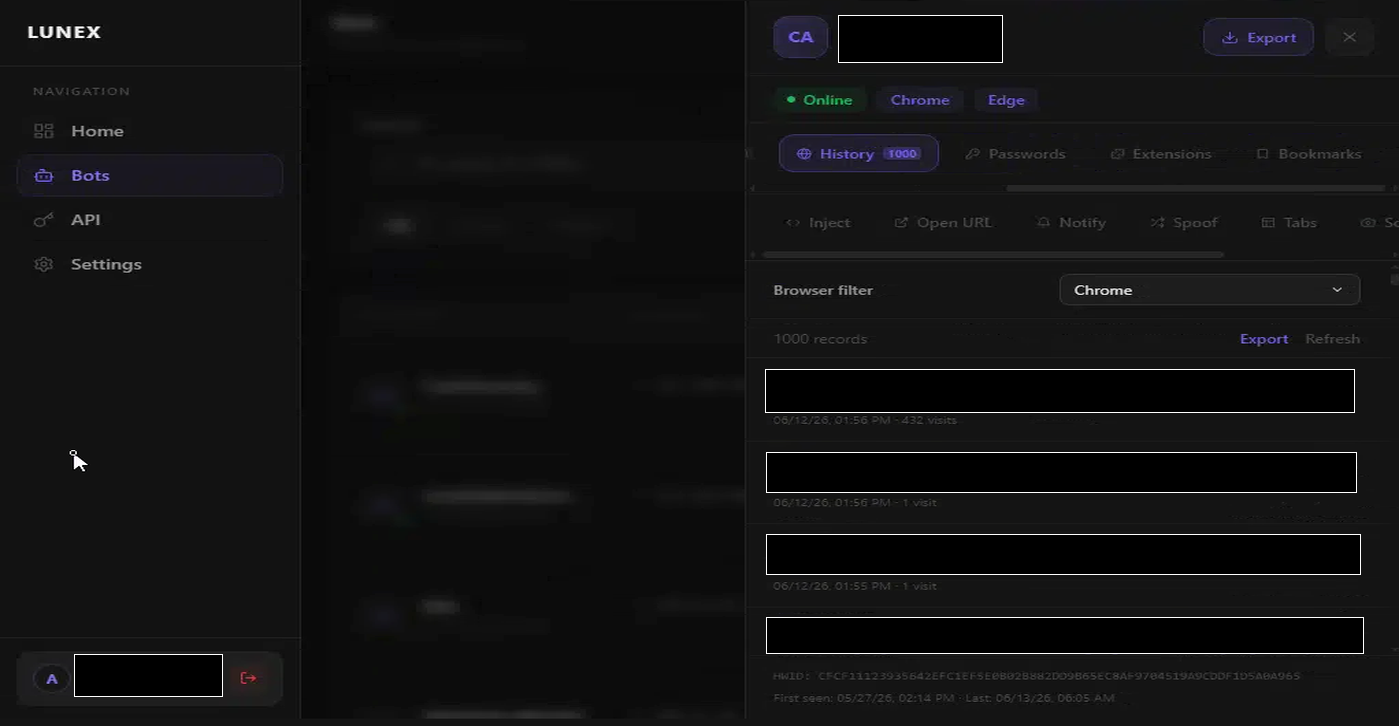 Browser history. Timestamped, searchable. Tells operators which platforms are worth targeting.
Extensions – a complete inventory of installed browser extensions. This matters because extensions can include password managers, hardware wallet connectors, and crypto wallet extensions – all high-priority targets for injection attacks. It also tells operators whether the victim has any security tooling that might interfere.
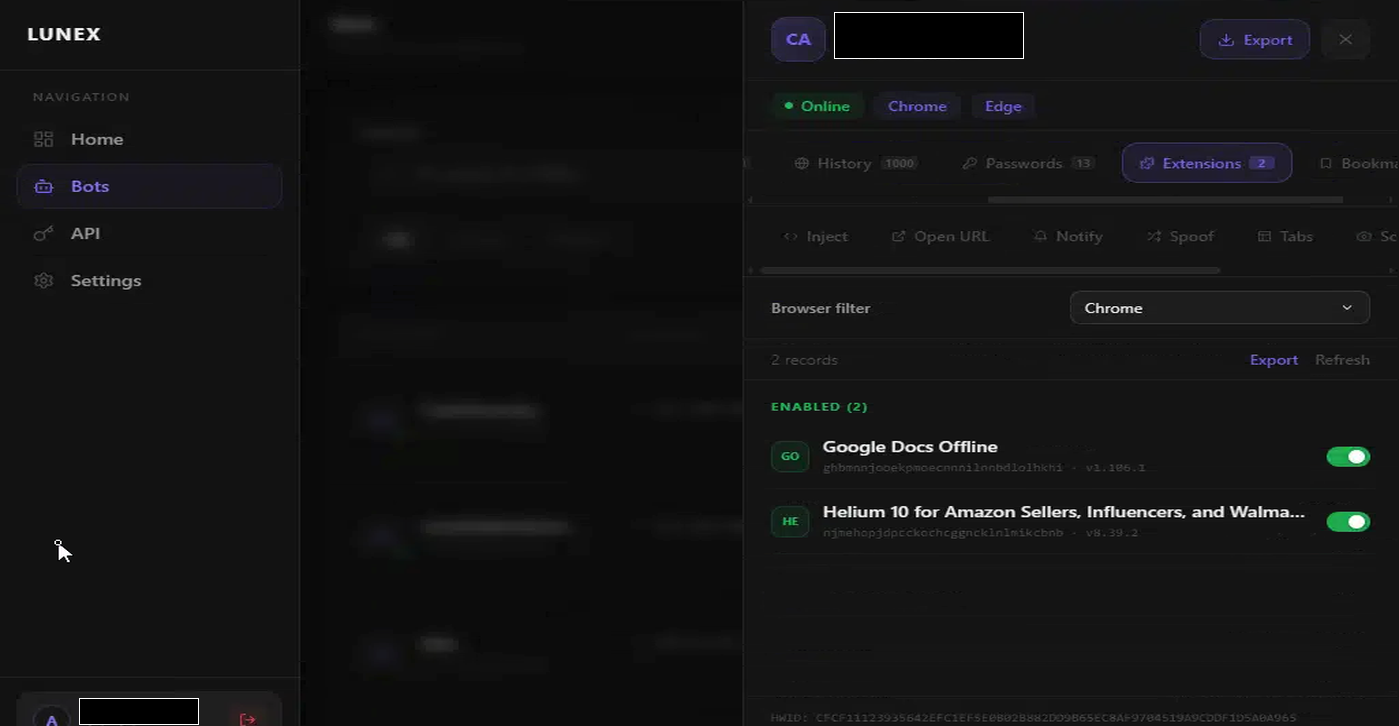 Extension inventory. Password managers and hardware wallet extensions are flagged for follow-on targeting.
Bookmarks – reveal what a victim considers important enough to save, often financial or business sites.
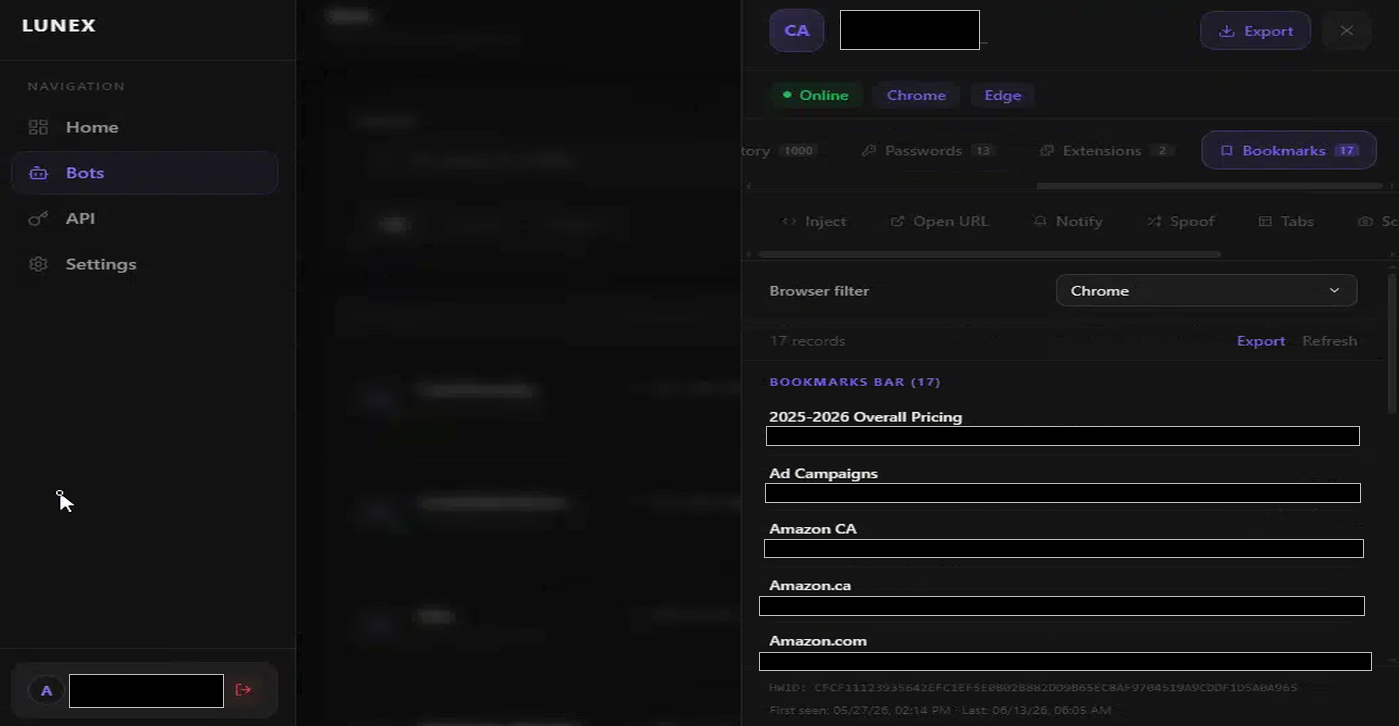 Bookmark collection. A snapshot of the victim’s digital priorities.
Tabs – a live list of every open browser tab, including page title and URL. Where bookmarks show what a victim saved, tabs show what they are actively doing right now. An operator checking the tab list before issuing an inject command knows exactly which sites are open – and whether a banking session is currently active.
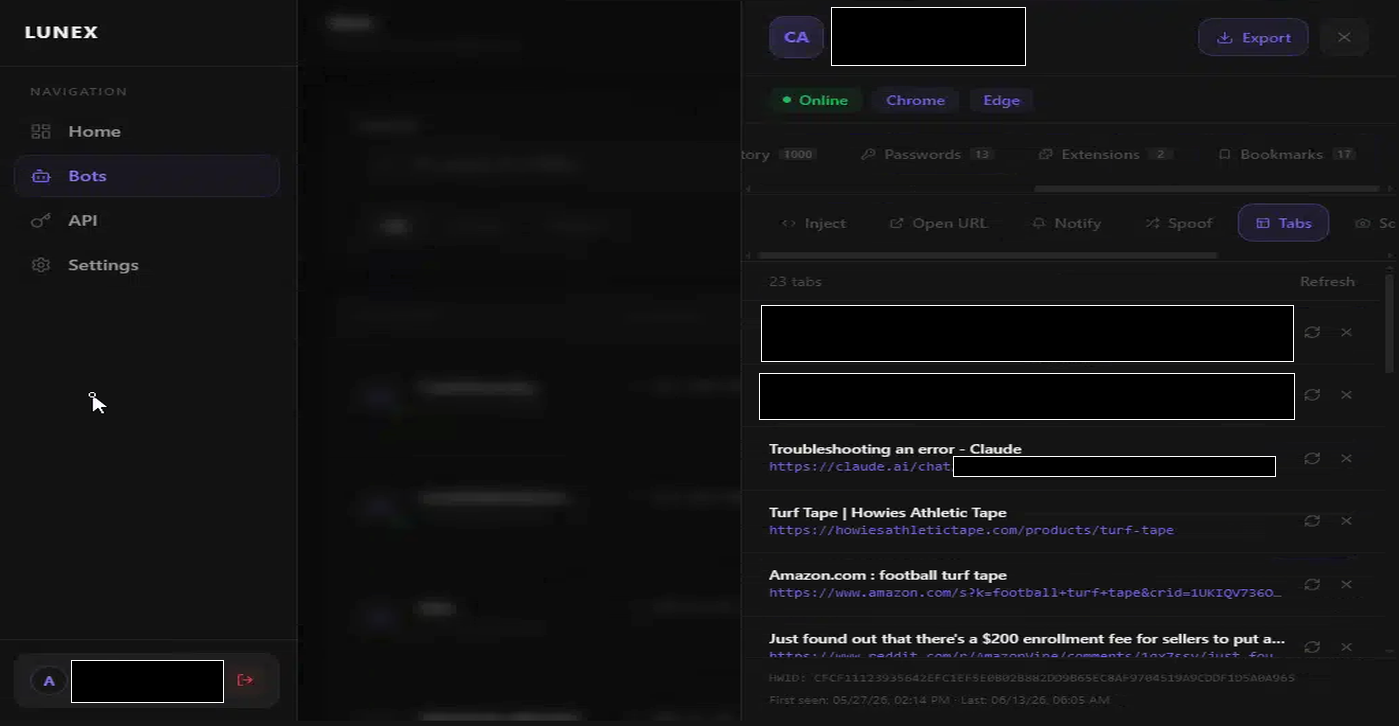 Open tabs, live. An operator can see active sessions before deciding which command to issue.
Commands: real-time interaction with live machines
This is where Lunex stops being a data collector and becomes an active exploitation platform. The panel includes a command interface for issuing instructions to online bots in real time. Six command types are available.
open_url – navigate the victim’s active browser to any URL the operator specifies. This can redirect a victim mid-session to a phishing page, force authentication to a platform the operator wants to harvest credentials from, or push the browser toward a drive-by. The victim sees their browser navigate. They may not notice.
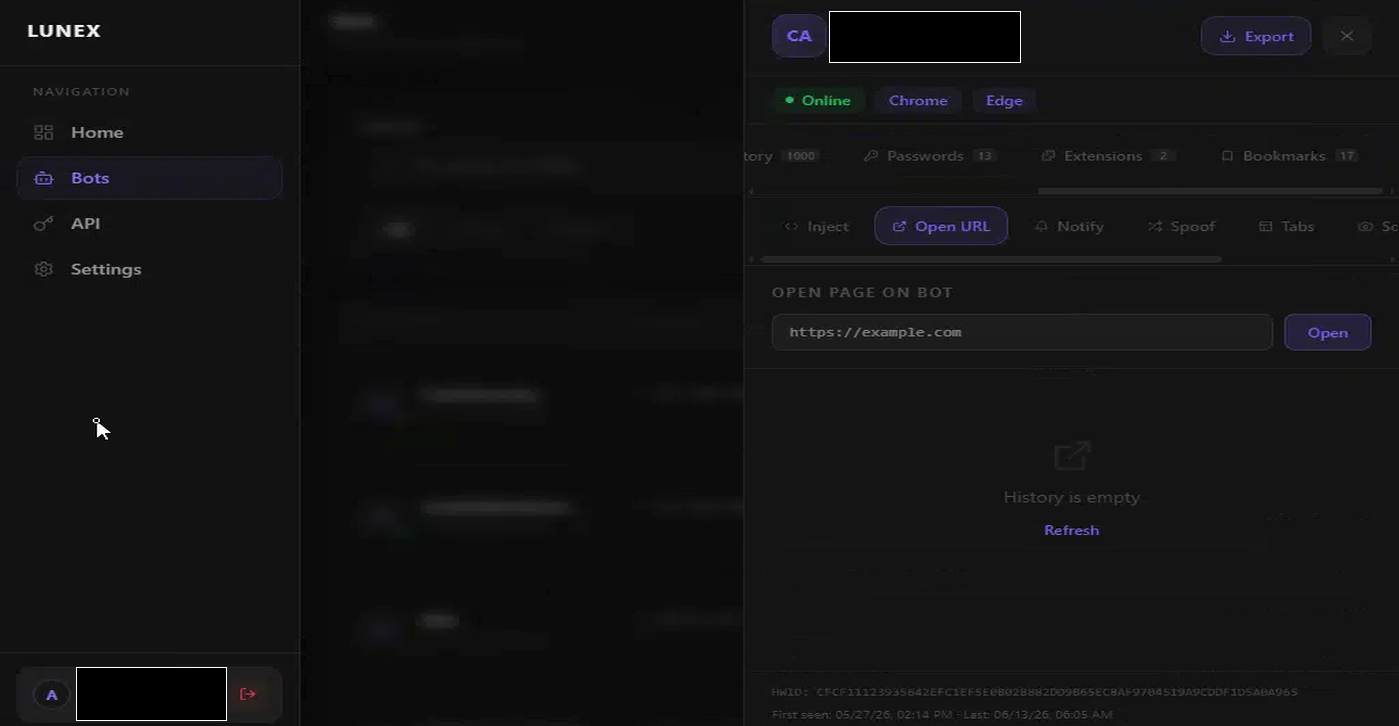 The open_url command. Any URL, pushed to any online bot’s active browser.
notify – push a browser notification to the victim’s machine. The operator controls the title and body text. Useful for social engineering: a fake security alert, a payment notification, an account verification prompt. Something that makes the victim take an action the operator wants.
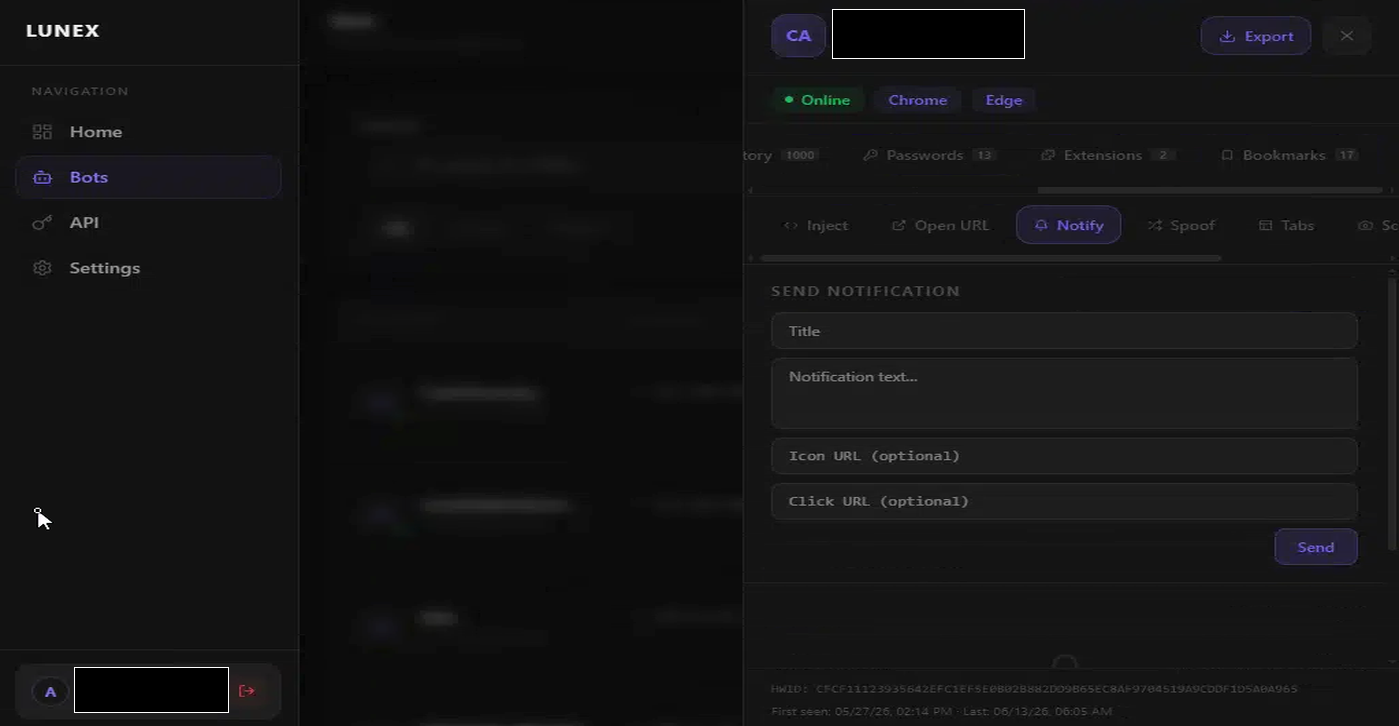 Browser notification push. Operators craft the content. The victim’s system delivers it.
inject – execute JavaScript in a victim’s browser tab. This is the command that moves Lunex into financial fraud territory. A web injection can modify a banking site’s transfer form to redirect funds, intercept a one-time password before the user sees it, or silently add form fields to capture data the site never asked for. The victim is looking at what appears to be their bank’s interface. The attacker has already modified it.
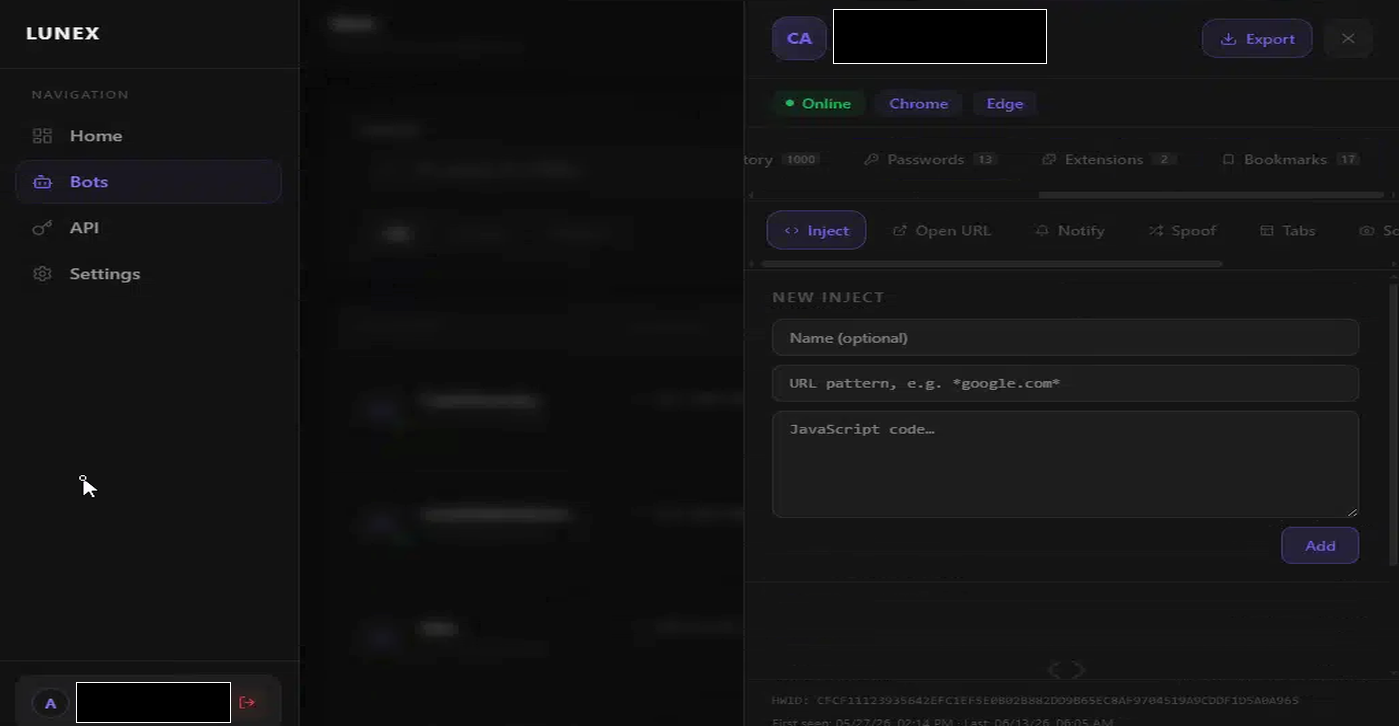 JavaScript injection. Operators modify what runs inside the victim’s browser on any site.
spoof – modify rendered browser content. Where inject runs code, spoof alters what the victim sees: overlays, substituted page elements, fake confirmation screens. This is the overlay attack mechanism used to bypass SMS-based two-factor authentication – the victim completes what looks like a legitimate transaction while funds are redirected, and the spoofed confirmation screen tells them everything went fine.
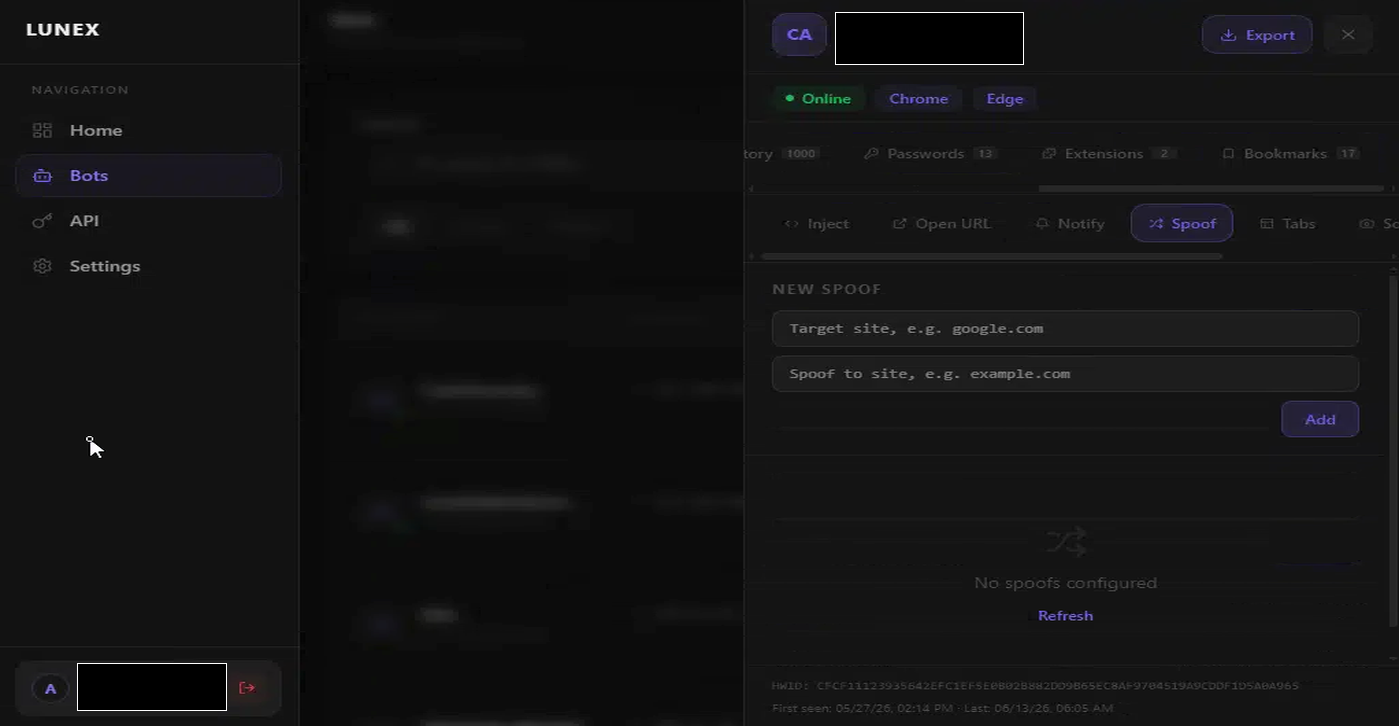 Content spoofing. The victim sees a modified version of reality. The attacker controls what that version shows.
screenshot – capture an image of the victim’s active browser tab on demand. The operator sees what the victim is currently looking at, in real time. Used to verify a session is active on a target site before issuing an inject or spoof command, or to confirm an outcome after the fact.
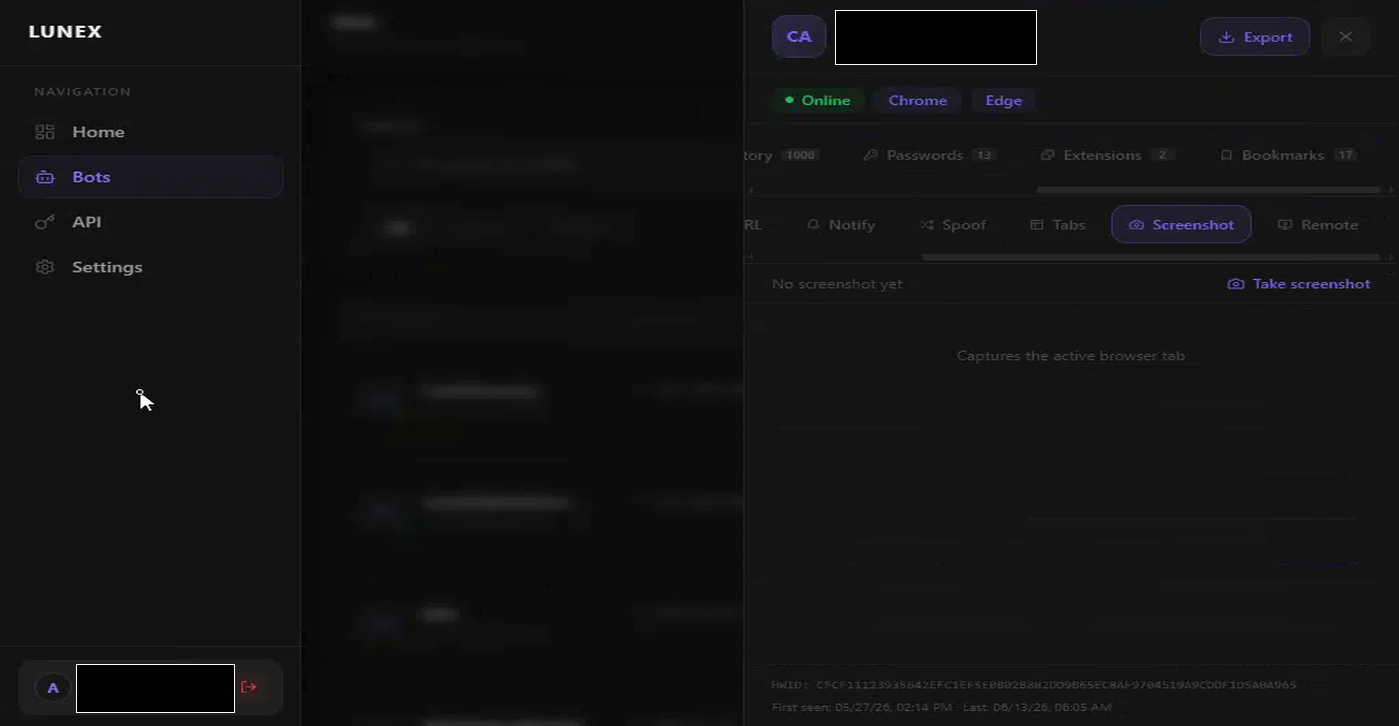 On-demand screenshot of the active browser tab. Operators can verify session state before issuing follow-on commands.
remote – open a live remote browser control session. This is the escalation endpoint of the command set: the operator takes direct interactive control of the victim’s browser, navigating sites, clicking elements, and submitting forms as if they were physically at the keyboard. Where inject and spoof modify the browser programmatically, remote hands over the wheel entirely.
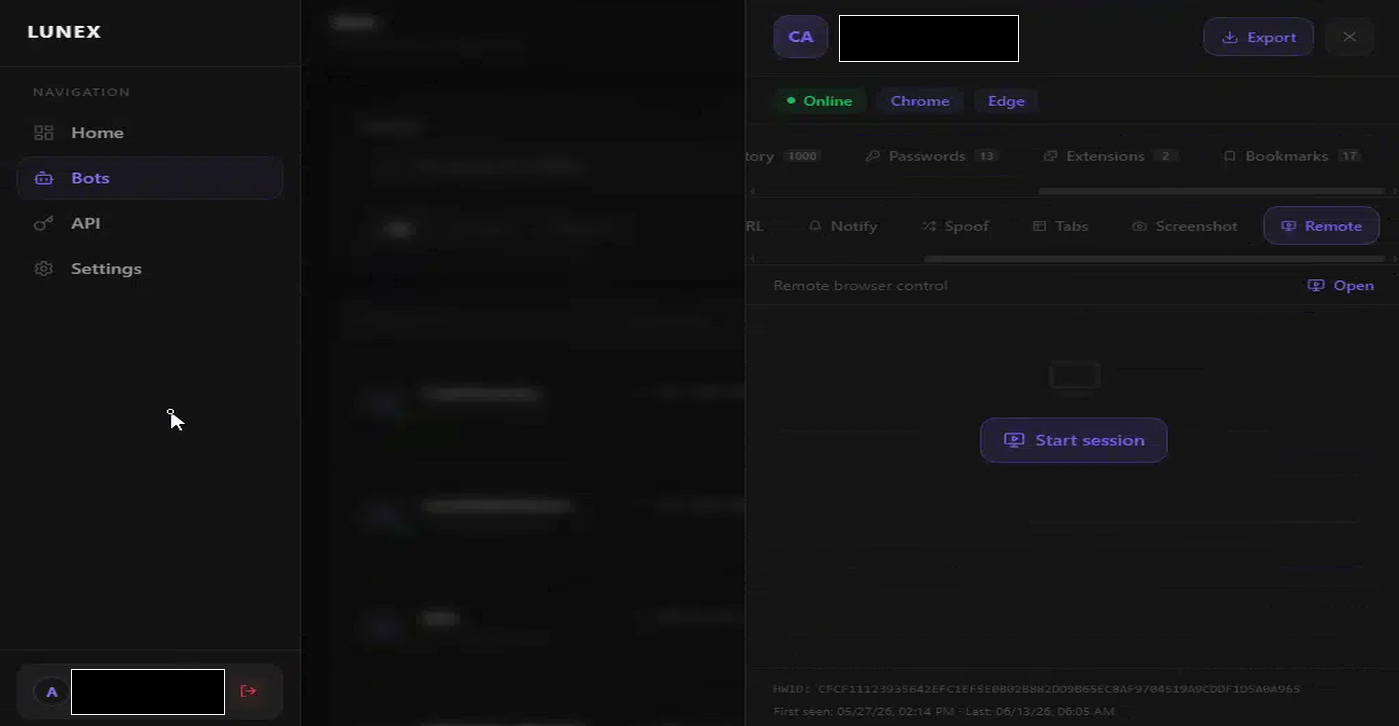 Remote browser control. A single button opens a live interactive session inside the victim’s browser.
The API
Lunex exposes a full REST API that mirrors everything in the panel interface. An operator can automate bot queries, issue commands, and pull stolen data without ever touching the browser.
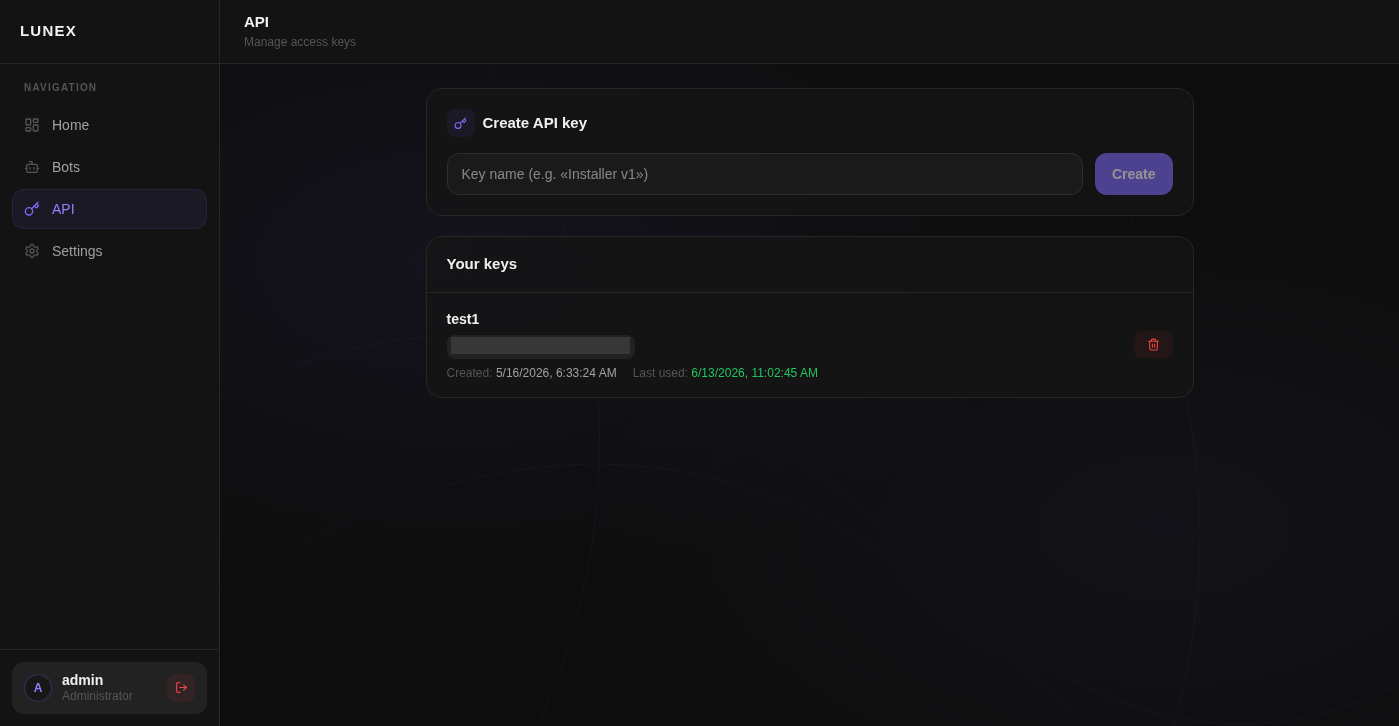 API key management. The stealer’s full functionality is available programmatically.
Infrastructure breakdown
Six confirmed operator panels across five countries. One consistent underlying stack: nginx, Go API backend, React SPA frontend.
| Panel | Hosting | Location | Build | Notes |
|---|---|---|---|---|
217[.]77[.]15[.]181:8000 | Contabo Inc. | US | Build 1 | Shodan confirmed panel on :8000 (2026-06-09) |
64[.]188[.]74[.]159:8000 | Senko Digital LLC | Finland | Build 3 | Shodan (2026-05-18) found :8080 CORS pattern |
78[.]17[.]74[.]164:8000 | HOSTKEY B.V. / IT-TECHNOLOGY-VECTOR | Germany (RIPE/ipinfo) / Ireland (Shodan) | Build 2 | Shodan confirmed :8080 API pattern |
45[.]151[.]106[.]252:8000 | MHost LLC / LeaseWeb Netherlands | Netherlands | Build 1 | Shodan confirmed panel on :8000 (2026-06-04) |
94[.]154[.]32[.]21:8000 | SKAYVIN-BROADBAND-UA | Ukraine (RIPE) / France (ipinfo) / Turkey (Shodan) | Build 1 | Same IP as original stealer C2; Shodan confirmed panel on :8000 (2026-06-09) |
api-goo-drivehosting[.]com:443 | Cloudflare (origin hidden) | Unknown | Build 4 (newest) | Google-impersonating domain |
Note: 45[.]151[.]106[.]252:443 is a false positive – a calendar/scheduling page on port 443 of the same IP. The Lunex panel is on port 8000 only.
Attribution note. IP geolocation is inherently approximate and three independent sources – RIPE RDAP (registered block ownership), ipinfo.io (routing and geolocation), and Shodan (independent scan data) – do not always agree. RIPE reflects who registered the IP block; that organisation may be in a different country than the physical server. Where sources conflict, both readings are noted in the table. For
78[.]17[.]74[.]164, RIPE and ipinfo place the block in Germany while Shodan (scanned 2026-06-11) shows Irish routing via BT Communications Ireland – likely a reflection of InterlIR’s Irish upstream transit. For94[.]154[.]32[.]21, RIPE shows a Ukrainian registrant, ipinfo shows French routing, and Shodan shows Turkish routing – three independent readings of the same IP. All data reflects point-in-time observations. Infrastructure changes over time and these readings may not reflect the current state.
The original C2 panel
The panel at 94[.]154[.]32[.]21 is the same IP that appeared in the original ClickFix sample as the Rust stealer’s C2 endpoint on port 8080. The operator management panel sits on port 8000 of the same host. One IP, two services: stealer collection and panel management running side by side.
Build versions
Four distinct JS build hashes were identified across the cluster, showing active development. The builds are not versioned by the operators – each React build embeds a unique hash in the JS bundle filename (index-[hash].js). Comparing that filename across panels is enough to fingerprint which codebase each deployment is running. The timestamps in the table come from the HTTP Last-Modified header returned by each server.
| Build | JS hash | Last-Modified | Panels using it |
|---|---|---|---|
| Build 1 | CG6H0oQg | 2026-05-15 19:30 | US, Ukraine (RIPE), Netherlands |
| Build 2 | 2SU4Xl4H | 2026-05-26 16:30 | Ireland |
| Build 3 | CFGtIMyC | 2026-05-15 21:55 | Finland |
| Build 4 | DdBj9bfk | 2026-06-05 13:35 | Cloudflare panel (newest) |
Build 3 shares its CSS bundle with Build 1 and carries a Last-Modified timestamp approximately two hours later on the same day – consistent with a JS-only hotfix pushed shortly after the May 15 build. Build 4 is the newest observed build and appears only on the Cloudflare-hidden panel.
The Cloudflare panel: an OPSEC upgrade
The panel at api-goo-drivehosting[.]com stands apart from the others. Where the rest of the cluster is exposed on bare VPS IPs with no infrastructure obfuscation, this instance was deliberately hardened:
- The real origin IP is hidden behind Cloudflare’s CDN
- The domain name –
api-goo-drivehosting[.]com– is crafted to blend into security logs as routine Google API or Google Drive traffic - The panel was deployed on the same day the domain was registered (2026-06-05)
- It runs Build 4, the newest version not seen on any other operator panel
The domain name is the detail worth focusing on for defenders. A security analyst reviewing proxy logs or firewall alerts for connections to api-goo-drivehosting[.]com might reasonably dismiss it as a Google service. That is the intent. Any domain containing “goo”, “google”, or “drive” that is not directly confirmed as Google infrastructure warrants a second look – registration date, registrar, and certificate subject are all quick checks that would expose this domain.
Why this matters
The data collection capabilities – cookies, passwords, history, tabs – build a complete picture of a victim’s digital life. The command capabilities – inject, spoof, screenshot, remote – provide the mechanisms to exploit it.
An operator can enumerate open sessions via the tabs view, confirm a banking site is active via screenshot, inject a modified transfer form, and monitor the outcome via remote control. Each step is available from the same panel, in sequence, against a single victim. Lunex is not a blunt credential harvester – it is an interactive fraud platform.
ClickFix delivered Lunex here. But ClickFix is a template, not a single campaign. Any malicious page with a “paste this command” prompt can drop any payload. The delivery cost is low. The impact ceiling is identity theft and financial loss.
Techniques observed (MITRE ATT&CK)
| Tactic | Technique | ATT&CK ID | What it did here |
|---|---|---|---|
| Initial Access | Drive-by Compromise | T1189 | Victim accessed attacker-controlled fake CAPTCHA page at captcha-code[.]lol through web browsing; ClickFix social engineering begins once on the page |
| Execution | User Execution | T1204 | Victim manually pasted and ran the PowerShell command at the instruction of the fake CAPTCHA prompt |
| Execution | PowerShell | T1059.001 | Payload delivered and executed via PowerShell |
| Collection | Steal Web Session Cookie | T1539 | Cookie theft per bot, indexed by domain; targets session tokens for financial platforms |
| Credential Access | Credentials from Web Browsers | T1555.003 | Saved passwords pulled from browser credential stores and decrypted |
| Discovery | Browser Information Discovery | T1217 | History, bookmarks, open tabs, and extension inventory collected per bot |
| Collection | Screen Capture | T1113 | Screenshot command captures the active browser tab on operator demand |
| Collection | Browser Session Hijacking | T1185 | open_url redirects live sessions; remote command gives direct interactive browser control |
| Impact | Content Injection | T1659 | inject and spoof commands modify live browser sessions and rendered page content |
| Defense Evasion | Masquerading: Match Legitimate Name | T1036.005 | api-goo-drivehosting[.]com impersonates Google API/Drive traffic in network logs |
| Command and Control | Application Layer Protocol: Web Protocols | T1071.001 | C2 over HTTP/HTTPS to panel REST API |
ATT&CK IDs mapped from observed capabilities and command artefacts. Mapping is my own.
What defenders can do
| Technique (ATT&CK) | What to do | Essential Eight | What to hunt for |
|---|---|---|---|
| T1059.001 PowerShell | Constrained Language Mode; Script Block Logging enabled | Application Control | Event ID 4104; encoded commands or long single-line scripts from explorer/browser parent processes |
| T1555.003 Browser Credentials | Enforce dedicated password manager; disable browser-native password saving via GPO | User Application Hardening | New extension IDs outside managed deployment windows; Secure Preferences written by a non-browser process; developer mode activating without user action |
| T1539 Cookie Theft | Short session token lifetimes; step-up auth on sensitive actions | User Application Hardening | Impossible travel; authentication from new IPs after cookie access; device fingerprint mismatches |
| T1185 Session Hijacking | Baseline approved extensions via MDM; alert on new installs outside deployment windows | Application Control | New extension IDs outside managed deployment; Event ID 4688 for extension installer child processes |
| T1113 Screen Capture | EDR telemetry on screenshot API calls from unexpected processes | User Application Hardening | GDI/WinRT screenshot APIs called from non-standard processes |
| T1659 Content Injection | Inspect browser process outbound connections via proxy; alert on connections to uncategorised IPs | no direct E8 home | Proxy alerts on browser process connections to new/low-reputation IPs; unexpected POST requests from browser processes |
| T1036.005 Masquerading | Verify all “Google” domains against Google’s published IP ranges and ASNs; alert on new registrations containing brand strings | no direct E8 home | Domains with “goo”, “google”, or “drive” not resolving to Google ASNs; recent registrations flagged by proxy categorisation |
PowerShell execution (T1059.001)
ClickFix is a paste-and-run attack. The payload arrives in the user’s clipboard and runs as soon as they press Enter. Script Block Logging (Event ID 4104) captures the command content at execution, before any obfuscation layers are unwrapped – it is the primary visibility mechanism here. For the RC4 PRGA pattern in this specific campaign, the string -bxor $S[($S[$i]+$S[$j])%256] in a 4104 event is a reliable detection signal.
Constrained Language Mode restricts PowerShell’s most dangerous capabilities from user-writable paths. It does not stop all ClickFix variants, but it raises the bar. Refer to Hardening Microsoft Windows 11 Workstations (ASD/ACSC, September 2025) for the baseline configuration.
Browser credential theft (T1555.003)
In this campaign, the stealer harvests browser credentials through a force-installed malicious extension rather than by reading encrypted files from disk. The extension runs inside the browser’s own process and calls the browser’s native cookie APIs directly – Chrome’s disk-level DPAPI encryption is never a factor because the extension never touches the encrypted files. The browser hands credentials over in cleartext because it trusts the extension. Detection is at the extension layer: new extension IDs appearing outside a managed deployment window, Secure Preferences written by a non-browser process, or developer mode activating without user action. The long-term control: disable browser-native credential saving via Group Policy and enforce a dedicated password manager. The extension can only steal what the browser is holding.
Cookie theft and session hijacking (T1539)
Stolen session cookies bypass multi-factor authentication. Short token lifetimes reduce the window of usefulness for a stolen cookie, but the detection side is where you get your best signal: impossible travel alerts, device fingerprint mismatches on authentication, and step-up re-authentication requirements for sensitive actions. For any account where the financial or business impact of takeover is significant, require re-authentication on sensitive actions regardless of existing session state.
Malicious extension activity (T1185)
The extension enumeration capability tells operators exactly what security tooling and credential management the victim has installed. The broader risk is operator-installed extensions used for persistence or in-browser interception. Baseline your approved extension list and enforce it through MDM or Group Policy. Unrecognised extension IDs appearing outside a managed deployment window are worth alerting on. See Hardening Microsoft Edge (ASD/ACSC) for Edge-specific extension management controls.
Web injection and content spoofing (T1659)
The inject and spoof capabilities are the hardest to detect from the victim’s perspective and the most dangerous in terms of financial impact. The only reliable defender-side signal is at the network layer: a browser process making unexpected outbound connections to an IP not in any known-good category. Proxy-based inspection of browser-origin traffic, alerting on connections to newly registered domains or low-reputation IPs, provides the earliest warning.
Domain masquerading (T1036.005)
api-goo-drivehosting[.]com is built to survive a casual log review. The mitigations here are two-step: first, block known-bad domains at the DNS or proxy layer (the IOC is in the table below). Second, build a detection for the class of technique – any domain containing Google brand strings (“goo”, “google”, “drive”, “gmail”) that does not resolve to a Google-owned ASN should fire a low-confidence alert for analyst review. Registration date is a strong secondary signal: legitimate Google services have been registered for years, not days.
Hunting and detection summary
- Event ID 4104 (Script Block Logging): ClickFix payload execution; hunt for RC4 PRGA pattern, encoded commands, or long single-line PowerShell from interactive parent processes
- DPAPI decryption calls from non-browser processes: browser credential theft
- New browser extension installs (Event ID 4688, browser as parent): extension-based persistence or interception
- Outbound HTTP/HTTPS from browser processes to new/low-reputation IPs on non-standard ports: C2 beacon or command channel
- Screenshot API calls from non-standard processes: on-demand browser tab capture
- Connections to port 8000/TCP on IOC IPs: direct Lunex panel communication
- DNS/proxy requests to
api-goo-drivehosting[.]com: Cloudflare-hidden Lunex panel; designed to look like Google traffic - Favicon hash hunt (
b9251db3aa9511157cba432c0b5402fc): use Shodanhttp.favicon.hashor Validin to identify undiscovered Lunex instances - Authentication events from new IPs shortly after a session was active: stolen cookie replay
- Impossible travel (geographically inconsistent auth within a short window): live session hijacking
Indicators of Compromise
C2 panels
| Type | Indicator | Notes |
|---|---|---|
| IP | 217[.]77[.]15[.]181 | Lunex panel :8000, API :8080 – Contabo Inc., US (PTR: vmi3118446.contaboserver.net) |
| IP | 64[.]188[.]74[.]159 | Lunex panel :8000, API :8080 – Senko Digital LLC, Finland (PTR: 515231.senko.network) |
| IP | 78[.]17[.]74[.]164 | Lunex panel :8000, API :8080 – HOSTKEY B.V. / IT-TECHNOLOGY-VECTOR (RIPE/ipinfo: Germany; Shodan: Ireland) |
| IP | 45[.]151[.]106[.]252 | Lunex panel :8000, API :8080 – MHost LLC / LeaseWeb Netherlands B.V., Netherlands |
| IP | 94[.]154[.]32[.]21 | Lunex panel :8000, stealer C2 :8080 – SKAYVIN-BROADBAND-UA (RIPE: Ukraine; ipinfo: France; Shodan: Turkey) – see original post |
| Domain | api-goo-drivehosting[.]com | Lunex panel :443, Cloudflare-proxied – Build 4 (newest); Google-impersonating |
| Port | 8000/TCP | Lunex operator panel port across all bare-IP instances |
| Port | 8080/TCP | Lunex stealer C2 API port (bare-IP instances) |
Fingerprints
| Type | Indicator | Notes |
|---|---|---|
| Favicon MD5 | b9251db3aa9511157cba432c0b5402fc | Lunex favicon – unique across all builds; use for Shodan/Validin hunting |
| Server | nginx/1.27.5 | Common across all confirmed bare-IP Lunex panels; consistent with Shodan scan data |
IOCs from the original ClickFix campaign post are not duplicated here. See ClickFix/CAPTCHA campaign analysis for the full set including lure domain, shellcode C2, and original sample hashes.
Closing
I went looking for one panel and found six. Two of them I would not have found with Shodan alone – the Validin data was what surfaced the Finland instance and confirmed the Cloudflare-hidden panel via favicon hash matching.
The piece of this that will stay with me is the pace. Six panels across five countries, four distinct builds, and new delivery infrastructure still being registered while the first post about this campaign was being written. The Google-impersonating domain is the most recent data point – someone is actively iterating the operational security of this kit.
The ClickFix delivery mechanism requires no exploit, no zero-day, and no vulnerability. Just a convincing prompt and a paste action. The stack behind Lunex turns that single paste into the keys to a victim’s financial life. Application control and script execution policy are the technical answer. The full answer starts before the command is run.
Stay curious.
This investigation used read-only, non-destructive methods including open-source tooling and publicly available infrastructure data. This post does not describe or encourage unauthorized access to computer systems.
The writing and structure of this post was developed with AI assistance. The OSINT methodology, investigation findings, ATT&CK mappings, and detection logic are my own.
References
- ClickFix/CAPTCHA campaign – original post
- MITRE ATT&CK: T1539, T1555.003, T1059.001, T1185, T1659, T1217, T1113, T1036.005
- ASD/ACSC: Hardening Microsoft Windows 11 Workstations (September 2025)
- ASD/ACSC: Hardening Microsoft Edge
- Shodan: https://shodan.io
- Validin: https://app.validin.com