Your RMM Has a Second Owner: Inside a Rogue ScreenConnect Credential Theft Campaign
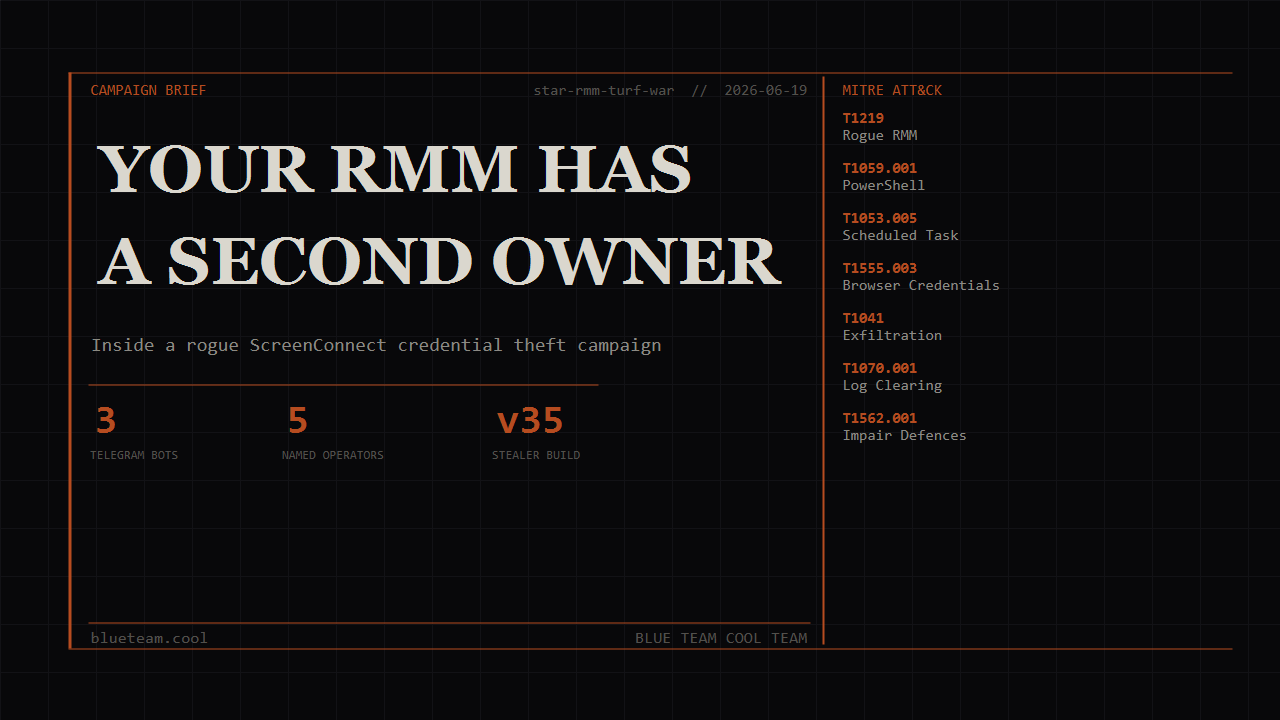
Three Telegram bots, five named operators, a 3,000-line competitor eviction script -- a newly onboarded host had been compromised for months before the customer onboarded it.
The views and opinions expressed in this post are my own and do not represent those of my employer. This is a personal blog where I share research and things I’m learning.
TL;DR
A few hours into a newly onboarded host, a signal fired: ScreenConnect had pushed a PowerShell script that scanned browser history for QuickBooks Online and corporate spend URLs. The SC instance had been installed months before the customer onboarded it. Investigation surfaced a full credential theft pipeline – three Telegram bots, three data channels, five named operators, and a cleanup script that forcibly removes 18 competing SC panels from victim hosts. The toolkit is versioned (
v35,v3), actively developed, and had been running quietly on this host since February 2026.If this is your fleet, do these first:
- Run
Get-ItemProperty 'HKLM:\SYSTEM\CurrentControlSet\Services\ScreenConnect Client (*)'across your fleet and diff instance IDs against your approved list – any unknown ID is a rogue panel- Enable PowerShell Script Block Logging (Event ID 4104) and forward those logs off-host immediately – the cleanup script wipes them on-device
- Alert on Event ID 4698 for scheduled tasks named
TG_Send_*orBHS_*- Block outbound HTTPS to
api.telegram[.]orgfrom non-browser, non-interactive processesFull IOCs and detection rules are at the bottom.
A few hours into the triage
A few hours into a host onboarding, an alert fired: ScreenConnect had pushed a PowerShell script to it.
Not the customer’s ScreenConnect.
The SC client on that machine had been installed before the host ever onboarded into our environment. Months before. It was pointing at a relay domain that matched nothing in the customer’s managed infrastructure, with an instance ID that did not appear in their approved tooling. The customer had inherited someone else’s backdoor, and it had been quietly running since February.
What pulled me in - beyond the obvious - was the shape of what SC was pushing. Not a RAT. Not a beacon. PowerShell scripts that scanned Chrome history for specific URLs: QuickBooks Online, Brex. Browser history as an oracle for “does this machine belong to a bookkeeping firm?” That is a specific targeting decision. Someone had built tooling around it.
Pulling the scripts off the host led to more scripts, which led to Telegram bots, which led to an OSINT pivot on the bot tokens and relay domains, which led to five named operators and a fairly clear picture of how this operation is structured. If something like this has turned up on your fleet, or if you are wondering whether it could, that is what this post is about.
Defender quick reference
| Field | Details |
|---|---|
| Activity type | Credential theft / RMM persistence / infostealer |
| Primary artifacts | TG_Send_<md5>.ps1, C:\H\telegram_bg.log, ScreenConnect Client (<instance-id>) service |
| Verdict | Malicious |
| Confidence | High – observed execution, captured Telegram sends, confirmed live infrastructure |
| Key logs | PowerShell 4104 (script content), Task Scheduler 4698 (task created), Security 1102 (log cleared) |
| ATT&CK | T1219, T1059.001, T1053.005, T1555.003, T1217, T1041, T1070.001, T1562.001 |
| First defender actions | Audit SC registry for unknown instance IDs; check C:\H\ and C:\Windows\SystemTemp\ScreenConnect\; review task scheduler for hash-named tasks |
| Detection opportunities | YARA on Telegram bot tokens; Sigma on task name pattern TG_Send_*; Event IDs 4698 and 1102 |
| False-positive notes | None known for the specific task naming pattern or staging path C:\H\ |
The attack at a glance
- Initial access – user installs a rogue ScreenConnect client, likely via a phishing page or fake IT support prompt. The SC client registers to an attacker-controlled relay (e.g.
digitalaccessmanagement[.]com:8040). - Delivery – attacker pushes PowerShell scripts through SC’s legitimate file-transfer feature. Scripts land in
C:\Windows\SystemTemp\ScreenConnect\25.3.4.9288\. - Execution – scripts run via hidden PowerShell (
-ExecutionPolicy Bypass -WindowStyle Hidden). Each does one job: scan QBO history, harvest browser identity, or sweep for crypto wallets. - Staging – results are written to a temp JSON file. A purpose-built sender script (
tg_send_<md5>.ps1) is generated and dropped toC:\H\. - Persistence via scheduled task – the sender is registered as a SYSTEM scheduled task (
TG_Send_<md5>), immediately executed, then self-deletes along with the task registration. - Exfiltration – sender imports the system IE proxy settings (
netsh winhttp import proxy source=ie) to traverse corporate proxies, waits a random delay (39-115 seconds), and POSTs results to one of three Telegram bots over HTTPS toapi.telegram[.]org. - Competitor eviction –
Star_v3.ps1removes every SC client not in a six-panel whitelist, strips competing RMM tools, and wipes forensic traces: event logs, PS history, prefetch, recent files, jump lists.
How it works
Stage 1 – the delivery vehicle
ScreenConnect is ConnectWise’s remote access tool. Legitimate IT teams use it. So do attackers, because you can self-host the relay, generate a custom installer with your instance ID baked in, and get an unattended remote session to any machine that runs it. The client installs a Windows service and registers back to your relay. From there you can push files, run commands, and interact with the desktop.
The attacker’s six relay domains all run the same SC stack – IIS 10.0, ports 80/443/8040/8041/8080. The SC version hardcoded in the delivery path is 25.3.4.9288. A pinned message in the attacker’s Telegram channel (in Russian, dated 2 March 2026) references it explicitly and specifies the drop path. That was an operational note to workers. It is also inadvertent evidence of how long this campaign has been running.
Stage 2 – browser history scanning (the QBO probe)
starQBOv35.ps1 is the primary targeting script. The “v35” in the name is not decorative – this is likely the 35th iteration of this tool. It takes a -SearchURLs parameter (a semicolon-separated list of URLs) and counts how many times each appears in browser history. On the host we pulled it from, the search included qbo.intuit.com and brex.com.
The interesting part is how it reads history. Chrome’s History file is a SQLite database. If Chrome is running, that database is locked. A naive sqlite3.exe query fails. This script gets around that by embedding a C# class compiled at runtime via Add-Type:
1
2
3
4
5
6
7
8
9
10
11
12
13
14
// Compiled at runtime -- avoids "database is locked" on live Chrome sessions
public static class BHS {
    public static List<string> MemScan(
        string path, byte[] pattern, long minTs, long maxTs) {
        // Opens with FileShare.ReadWrite | FileShare.Delete
        // -- the same sharing flags Chrome holds on its own files
        // Walks byte-by-byte, reconstructs URLs from surrounding bytes
        // No SQLite dependency, no lock conflict
    }
    public static List<string> ScanLoginData(string path, string domain) {
        // Raw byte scan of Chrome Login Data
        // Extracts email-like strings near domain matches
    }
}
Opening the file with the same sharing flags the browser uses avoids the lock entirely. Brute-force, but effective. It is a neat trick and one that evades the common “check if the file is in use” approach to live-file detection.
Beyond URL counts, the script reads Chrome Preferences JSON for the signed-in Google account email, and calls BHS::ScanLoginData against Chrome’s Login Data to pull saved usernames for the target domains. The full identity profile of each Chrome profile on the machine gets bundled into the result.
After scanning, the script checks the registry for any installed SC client and looks up its instance ID in a hardcoded panelMap:
1
2
3
4
5
6
7
$panelMap = @{
    '8df439ea69ba1ba8' = 'digitalacces_Star'
    'bafd0ea8d422c32c' = 'office101_VIP'
    'e64730829b489fd7' = 'office102_VIP'
    # ... 15 more entries including competitor panels
    'd9a10039878302f6' = 'dentalfaxgateSTAR'
}
The panelMap serves two purposes: it tells the operator which of their relay panels delivered this script, and it gives them competitor intelligence – they can see if a rival group’s SC panel is also on the same host. The Telegram output from this machine shows Panel: none, meaning the specific SC instance ID on this host was not in the map at the time the script ran. The map gets updated as the operation grows.
The captured Telegram message:
1
2
3
4
<redacted> | total qbo.intuit.com=3675 | Chrome=3675
Panel: none
Chrome profile info:
Admin: Person 1(Default)=3673 | Admin: DO IT CENTER(Profile 2)=2
3,675 QBO history entries on a single machine. Two Chrome profiles, both named “Admin”. This is a bookkeeping operation running multiple client accounts. That is exactly the target profile this script was built for.
Stage 3 – identity harvesting
Search-BrowserHistory-v35.ps1 runs the same BHS engine but routes results to a different Telegram destination – the “APPLY” group rather than the “Checker” channel. Its job is identity intelligence.
It extracts email addresses embedded in URLs, @handle patterns, named query parameters (email=, username=, login_hint=, and 42 more keys), path-segment prefixes that introduce usernames (/u/, /user/, /profile/, /in/), and platform-specific patterns for Amazon, Facebook, Twitter, LinkedIn, GitHub, Reddit, and several others. Then it reads Chrome Preferences and runs the Login Data byte-scan. The result is a structured identity profile from a machine’s entire browsing history.
It scans across Chrome, Edge, Brave, Vivaldi, Yandex, Opera, Opera GX, and Firefox, and iterates all user profiles on the host. The APPLY group that receives this data is a smaller, working group – four members versus the five in the bulk QBO channel.
Stage 4 – crypto wallet sweep
Two variants of the wallet scanner cover the same ground from two privilege levels. findwall.ps1 runs in user context; findwal_system.ps1 runs as SYSTEM and iterates every user profile under C:\Users\.
The SYSTEM variant checks 22 browser wallet extension IDs across Chromium profiles:
| Wallet | Extension ID |
|---|---|
| MetaMask | nkbihfbeogaeaoehlefnkodbefgpgknn |
| Phantom | bfnaelmomeimhlpmgjnjophhpkkoljpa |
| OKX Wallet | mcohilncbfahbmgdjkbpemcciiolgcge |
| Trust Wallet | egjidjbpglichdcondbcbdnbeeppgdph |
| Rabby | acmacodkjbdgmoleebolmdjonilkdbch |
| Ronin | fnjhmkhhmkbjkkabndcnnogagogbneec |
| Coinbase Wallet | hnfanknocfeofbddgcijnmhnfnkdnaad |
| Keplr | dmkamcknogkgcdfhhbddcghachkejeap |
| Solflare | bhhhlbepdkbapadjdnnojkbgioiodbic |
| + 13 more | … |
Desktop wallets (Exodus, Electrum, Atomic, Ledger Live, Sparrow, WalletWasabi, Bitcoin Core, Coinbase App) are checked via folder existence, registry entries, and Start Menu shortcuts.
The routing here is notable. Wallet data does not go to a group channel. It goes directly to two named operator accounts via Telegram DM – the senior people in the hierarchy. That is an intentional separation. A machine with a MetaMask extension and 3,675 QBO hits is treated differently from one with only QBO hits.
Stage 5 – three bots, three destinations
This is the architectural feature that reveals how organised this operation is. Three distinct Telegram bots handle three distinct data types, flowing to three distinct destinations:
1
2
3
4
5
6
7
8
9
10
11
12
13
14
15
16
17
18
19
20
21
22
EXFILTRATION ROUTING
====================

[Victim host]
  |
  +-- starQBOv35.ps1 / tg_send_*.ps1
  |       |
  |   @Check12899_bot --> Checker Channel (-1003277400990)
  |                       5 members, 3,214+ messages
  |                       QBO hit counts, Chrome profile names, panel ID
  |
  +-- Search-BrowserHistory-v35.ps1
  |       |
  |   @botbybost_bot --> APPLY Group (-5212689198)
  |                      4 members
  |                      Browser URLs, saved logins, email identity
  |
  +-- findwall.ps1 / findwal_system.ps1
          |
      @AndrewTateSigma_bot --> DM to @sadfewego (ID 7423684294)
                           --> DM to @head_exp  (ID 8238936394)
                               Wallet presence, desktop wallets, device fingerprint
Bulk targeting data (QBO counts) goes to a broadcast channel where workers can process volume. Identity intelligence goes to a smaller working group. High-value signals (crypto wallets) go directly to senior operators. Someone designed this.
The one-shot sender scripts that deliver QBO results contain a comment the actor left in the source:
1
2
# CRITICAL FIX
try { netsh winhttp import proxy source=ie | Out-Null } catch {}
“CRITICAL FIX” because without it, the Telegram call fails on corporate networks with an authenticated proxy. The actor has hit this problem enough times to label the fix critical. It also tells you something: the targets they are after sit behind corporate proxy infrastructure. The random sleep delay before each send (39-115 seconds in the captured samples) is correlation-breaking – you cannot simply alert on “Telegram API call at script execution time.”
Stage 6 – the turf war
Star_v3.ps1 is the most operationally significant artifact. At 3,000 lines, it is a 12-stage cleanup script, version 3. It requires Administrator and announces as much at the top (#Requires -RunAsAdministrator).
The whitelist of six operator-controlled SC panels that survive cleanup:
1
2
3
4
5
6
7
8
$whitelist = @{
    '8df439ea69ba1ba8' = 'digitalacces_Star'
    'bafd0ea8d422c32c' = 'office101_VIP'
    'e64730829b489fd7' = 'office102_VIP'
    '534179a8e5dac2c9' = 'office103_VIP'
    '7fc846f428209093' = 'office104_VIP'
    'd9a10039878302f6' = 'dentalfaxgateSTAR'
}
Everything else gets removed. The script enumerates all SC clients from the registry, cross-references against the whitelist, and for any non-whitelisted entry: stops the service, kills processes, deletes the service entry, wipes registry keys, removes the install folder. It also removes four competing RMM tools entirely: NetLock, SAAZOD/N-able, ITSPlatform/BeAnywhere Take Control, and MSP360.
The panelMap in this script contains 18 competing SC instance IDs with human-readable labels. Some are clearly other criminal operations (Copycat, 911, VieverSSA). Some look like MSP infrastructure that shares victim hosts. The script does not distinguish. There is also a universal firewall blocklist: two competitor IPs and five competitor relay domains get blocked at the Windows Firewall and sinkholed in the HOSTS file.
Two tools are explicitly protected and never touched regardless of what else gets removed: SimpleHelp and TacticalRMM/MeshAgent. The script has dedicated check functions for these. Whether that is because the operator uses them on some hosts, or because they are avoiding alerts from legitimate IT teams – that is not clear from the code. The exemption is deliberate.
Stage 7 – wiping the scene
After evicting competitors, Star_v3.ps1 clears its own tracks. Six Windows event logs go via wevtutil cl:
1
2
3
4
5
6
'Windows PowerShell',
'Microsoft-Windows-PowerShell/Operational',
'Microsoft-Windows-TaskScheduler/Operational',
'Microsoft-Windows-WMI-Activity/Operational',
'Application',
'System'
Then: PowerShell history files across all user profiles, Prefetch entries for POWERSHELL.EXE, SC.EXE, SCHTASKS.EXE, TAKEOWN.EXE, ICACLS.EXE, and CMD.EXE (limited to entries from the last hour), Run MRU and TypedPaths registry keys, Recent Files and Jump Lists from all user profiles, WER crash reports matching ScreenConnect, DNS cache. The individual exfil scripts self-delete too – the sender removes itself and its task after one successful run.
The only persistent artifact from a completed exfil run is C:\H\telegram_bg.log. That is what gave us the timeline. First execution: 26 February 2026. First confirmed successful send: 26 March 2026. Last confirmed send: 22 April 2026. Nearly two months of operation on a machine the customer had not yet onboarded.
The 429 “Too Many Requests” errors in that log are worth a closer look. On 31 March 2026, three rapid sends from this host hit two 429 responses. A 429 from the Telegram Bot API means the bot has been rate-limited across all its users – not just this host. Other victim machines were sending through the same bot at the same time. That is indirect evidence of campaign scale.
Techniques observed (MITRE ATT&CK)
The following techniques have been mapped to MITRE ATT&CK for future reference.
| Tactic | Technique | ATT&CK ID | What it did here |
|---|---|---|---|
| Initial Access | Remote Access Software | T1219 | Rogue SC client deployed to victim; attacker controls the relay panel |
| Execution | PowerShell | T1059.001 | All scripts via -ExecutionPolicy Bypass -WindowStyle Hidden |
| Persistence | Scheduled Task/Job | T1053.005 | TG_Send_* and BHS_* tasks created as SYSTEM; self-delete after one run |
| Discovery | Browser Information Discovery | T1217 | History SQLite scanned via raw bytes across all Chromium browsers and all user profiles |
| Credential Access | Credentials from Web Browsers | T1555.003 | Chrome Login Data byte-scanned for saved usernames; Preferences read for signed-in Google accounts |
| Collection | Data from Local System | T1005 | Wallet extension IDs, desktop wallet presence, device fingerprint assembled from local data |
| Exfiltration | Exfiltration Over C2 Channel | T1041 | All data via Telegram Bot API (HTTPS/443) to api.telegram[.]org |
| Defence Evasion | Impair Defences – Disable/Modify Tools | T1562.001 | 18 competing SC panels and 4 RMM tools forcibly removed |
| Defence Evasion | Indicator Removal – Clear Event Logs | T1070.001 | Six Windows event logs wiped via wevtutil cl |
| Defence Evasion | Indicator Removal – Clear Command History | T1070.003 | PowerShell history wiped across all user profiles |
| Defence Evasion | Indicator Removal – File Deletion | T1070.004 | Sender scripts and task registrations self-delete after execution |
Why this matters
The attack chain ends with an operator knowing: how many times a target machine has visited QuickBooks Online; the names of the Chrome profiles on it (often named after the person or client using them); any saved usernames for QBO or other financial platforms; and whether any crypto wallet extensions or desktop wallets are present.
That is enough to prioritise follow-up. A machine showing 3,675 QBO history entries and two “Admin”-named profiles is almost certainly processing other people’s financial accounts. The combination of accounting access and crypto wallet presence represents the full financial compromise scenario.
What is less obvious from the outside is the dwell time. This operation ran on a host for months before anyone noticed – the machine was compromised before the customer ever onboarded it. The initial compromise predates the monitoring window. What we caught was the tail end of an ongoing operation, surfaced only when the endpoint agent started reporting on the host.
The 18-panel competitor removal list in Star_v3.ps1 is the detail that fills in the broader picture. It is not a defence mechanism; it is a competitive one. These operators are vying for persistent access to the same victim pool as multiple other criminal groups, and they have built tooling to evict rivals. Whether this maps to a specific named threat actor or group is not something I can establish with confidence from this evidence alone. What the technical facts support: this operation is organised, actively maintained, and running at a scale that saturates Telegram bot rate limits.
What defenders can do
| Technique (ATT&CK) | What to do | Essential Eight | What to hunt for |
|---|---|---|---|
| Rogue RMM (T1219) | Maintain approved SC instance-ID list; alert on any unknown SC service | Application Control (L1+) | Registry: HKLM\SYSTEM\CurrentControlSet\Services\ScreenConnect Client (*) – unknown instance IDs |
| PowerShell (T1059.001) | Script Block Logging; Constrained Language Mode; ship PS logs off-host | Application Control + Securing PowerShell | Event ID 4104 (script content), 4688 (-ExecutionPolicy Bypass) |
| Scheduled Tasks (T1053.005) | Restrict task creation to admin accounts; alert on hash-named tasks | Application Control + Restrict Admin Privileges | Event ID 4698 for TG_Send_* or BHS_* task names |
| Browser credential access (T1555.003) | Restrict SYSTEM processes from user profile directories | Restrict Admin Privileges | File reads on Login Data or History from non-browser processes |
| Telegram exfil (T1041) | Egress proxy with URL/category filtering; default-deny from servers | Restrict Admin Privileges (limits outbound process scope); no clean E8 home for network-layer exfil control | HTTPS to api.telegram[.]org from non-browser, non-interactive processes |
| Log clearing (T1070.001) | Forward logs off-host in real time | No clean E8 home – monitoring maturity | Event ID 1102 (security log cleared); log volume gaps |
| Competitor eviction (T1562.001) | Tamper protection on managed tools; alert on unexpected service stops | Restrict Admin Privileges | Event ID 7036 (service stopped) for expected services |
Rogue RMM clients (T1219)
If you run ScreenConnect, you have a list of your instance IDs somewhere. Put it in a script and run it across your fleet:
1
2
3
4
5
Get-ItemProperty 'HKLM:\SYSTEM\CurrentControlSet\Services\ScreenConnect Client (*)' |
  Select-Object PSChildName,
    @{N='InstanceID';E={[regex]::Match($_.PSChildName,'\(([^)]+)\)').Groups[1].Value}},
    @{N='Domain';E={if($_.ImagePath -match '&h=([^&]+)'){$matches[1]}}} |
  Format-Table -AutoSize
Any instance ID not in your approved list is a rogue panel. This catches the campaign on day one before a single script runs. Application Control, applied to service binaries and installer executables, would have prevented the rogue SC installer from executing and persisting as a service. See Implementing Application Control (November 2023).
PowerShell execution (T1059.001)
Script Block Logging is the highest-value telemetry control for this specific campaign. Every script in this toolkit runs unobfuscated. Event ID 4104 would have captured the full content of every one of them – including the embedded C# BHS class, the bot tokens, and the chat IDs.
The catch: the cleanup script wipes Microsoft-Windows-PowerShell/Operational via wevtutil cl. If your logs only live on the endpoint, they can be gone before you pull them. Ship to your SIEM in real time. A 5-minute collection lag is enough for a motivated cleanup run to get there first.
Enable Script Block Logging via Group Policy: Computer Configuration > Administrative Templates > Windows Components > Windows PowerShell > Turn on PowerShell Script Block Logging. Removing the PowerShell v2 engine (Disable-WindowsOptionalFeature -Online -FeatureName MicrosoftWindowsPowerShellV2) closes a common Script Block Logging bypass. See Securing PowerShell in the Enterprise (October 2021).
Scheduled task persistence (T1053.005)
The sender scripts register as SYSTEM scheduled tasks, execute immediately, and delete themselves. Event ID 4698 fires at task creation – before the task runs, before it self-deletes. It is the only on-endpoint record if you miss the 4104.
Alert on task names matching TG_Send_*, BHS_*, or any 32-hex-character string. Restricting who can create scheduled tasks (Restrict Administrative Privileges – separating privileged from unprivileged accounts, keeping admin sessions off the daily-use machine) limits the damage from a compromised user-level session. See Restricting Administrative Privileges (November 2023).
Browser credential access (T1555.003)
SYSTEM-context processes have broad access to user profile directories by default. The practical control is detection: Login Data and History should only be read by browser processes. Flag any EDR or Sysmon event showing powershell.exe reading a path matching \AppData\Local\Google\Chrome\User Data\*\Login Data.
Restricting admin-context processes from user home directories is a defensible hardening step that goes beyond most default configurations. The relevant guidance is Restricting Administrative Privileges (November 2023) – limiting what SYSTEM-context scripts can reach.
Telegram exfiltration (T1041)
The Essential Eight mapping for T1041 is Restrict Administrative Privileges – limiting what processes can initiate outbound connections reduces the exfil surface – and Regular Backups as a recovery control. Neither directly blocks a process from calling Telegram’s Bot API over HTTPS; the practical network-layer control is egress architecture. A proxy with URL/category filtering gives you visibility; a scheduled task process making HTTPS calls to api.telegram[.]org is anomalous, a browser doing it is not. That context distinction is where the detection lives.
The netsh winhttp import proxy source=ie call is itself a detectable behaviour – netsh.exe invoked with winhttp import from a scheduled task or SYSTEM context is not a common administrative operation. See Strategies to Mitigate Cyber Security Incidents – Mitigation Details for network architecture controls beyond the Essential Eight.
Log clearing (T1070.001)
Event ID 1102 is the Windows security log cleared event. On any production host, that is a high-confidence alert. It only fires if the log has not already been cleared before your collector ran.
The foundational requirement is real-time log forwarding to a SIEM you control. A log collection strategy that polls on a schedule leaves a window the cleanup script can fit through. See ISM Guidelines for System Hardening (June 2025) for centralised logging requirements.
Hunting and detection summary
- Event ID 4698 – Scheduled task created; alert on
TG_Send_*,BHS_*, or any 32-hex-character task name - Event ID 4104 – PowerShell Script Block Logging; hunt for
api.telegram.org,Add-Typewithclass BHS,Invoke-RestMethodwith a chat_id in the same block - Event ID 1102 – Security audit log cleared; immediate investigation on any production host
- Event ID 4688 – Process creation with
powershell.exe -ExecutionPolicy Bypass -WindowStyle Hiddenin arguments - Event ID 7036 – Service stopped; alert when expected managed services (SC clients, AV, EDR) stop unexpectedly
- SC registry audit –
HKLM\SYSTEM\CurrentControlSet\Services\ScreenConnect Client (*); diff instance IDs against approved list; run fleet-wide - File activity – any write to
C:\H\(extremely short staging path); new.ps1files underC:\Windows\SystemTemp\ScreenConnect\ - Outbound HTTPS to
api.telegram[.]orgfrom non-browser processes; short-lived sessions with ~90s periodicity netsh.exe winhttp importfrom a scheduled task or SYSTEM context- Orphaned task pattern – tasks whose action binary path no longer exists at next scheduled query (self-deleted payload)
- Cloudflare nameserver pair NANCY+KELLEN – new domains resolving through this pair are candidate new STAR relay infrastructure
The YARA rules, Sigma detections, KQL queries, and full IOC list for this campaign are also available in the companion detection pack.
Indicators of Compromise
Telegram infrastructure
| Type | Indicator | Notes |
|---|---|---|
| Bot token | 8561959266:AAEI32HfP40cKQwtAtSyS6o9Srcjd7W7B9A | @Check12899_bot – QBO data channel |
| Bot token | 8638944609:AAECv0FW5fCFPxp4cNz-Mp856SyocgfEgdA | @AndrewTateSigma_bot – wallet data |
| Bot token | 8662428383:AAE7q7noOfH_12SZJPCQNB1A98DqnyAn344 | @botbybost_bot – browser history |
| Chat ID | -1003277400990 | Checker Channel (5 members, 3,214+ messages) |
| Chat ID | -5212689198 | APPLY group (4 members) |
| Telegram user ID | 7423684294 | @sadfewego “Star” – wallet DM recipient, APPLY group creator |
| Telegram user ID | 8238936394 | @head_exp – wallet DM co-recipient |
| Telegram user ID | 4124665 | @LetssRoll – senior operator, Checker Channel admin with promote rights |
| Telegram user ID | 6636177227 | @LysayaGnida7 – Checker Channel creator (Russian-confirmed via lang_code) |
| Telegram user ID | 8388183361 | @sunchez1337 – Checker Channel admin, no promote rights |
SC relay domains (operator-controlled)
| Domain | Instance ID | IP | Hosting | CF NS pair |
|---|---|---|---|---|
| digitalaccessmanagement[.]com | 8df439ea69ba1ba8 | 216.126.227[.]29 | Cloudzy | DAMIETE+LIA |
| office1001[.]com | bafd0ea8d422c32c | 172.86.127[.]33 | Cloudzy | LOUIS+HALEY |
| office1002[.]com | e64730829b489fd7 | 45.61.148[.]2 | Cloudzy | NANCY+KELLEN |
| office1003[.]com | 534179a8e5dac2c9 | 193.143.1[.]106 | Proton66 RU | NANCY+KELLEN |
| office1004[.]com | 7fc846f428209093 | 37.77.150[.]69 | Proton66 RU | NANCY+KELLEN |
| dentalfaxgate[.]vip | d9a10039878302f6 | 91.215.85[.]231 | Prospero RU | NANCY+KELLEN |
All six share port fingerprint: 80 (IIS 10.0), 443, 8040, 8041, 8080.
Host artefacts
| Type | Indicator | Notes |
|---|---|---|
| Directory | C:\H\ | Actor staging directory – any file write here is anomalous |
| File | C:\H\telegram_bg.log | Exfiltration execution log; persists after self-deletion |
| File pattern | C:\H\tg_send_<md5>.ps1 | Generated one-shot sender scripts |
| File | C:\Windows\Temp\bhs_n_<uid>.json | Browser history results staging |
| File | C:\Windows\Temp\bhs_s_<uid>.ps1 | Generated browser history sender |
| Delivery path | C:\Windows\SystemTemp\ScreenConnect\25.3.4.9288\ | SC version-specific drop location |
| Script name | qbo2026.ps1 | QBO harvester (pinned in Telegram channel) |
| Task pattern | TG_Send_<32-char-md5> | Self-deleting QBO exfil task |
| Task pattern | BHS_<12-char-uid> | Self-deleting browser history sender task |
Competitor SC panel IDs (known eviction targets – partial list)
| Instance ID | Label in eviction script |
|---|---|
6eefc2f3701d32fa | 911 |
c68313e13a2203e9 | VieverSSA |
71c2dbb206035659 | office420 |
b81c2f348b5b9068 | Three / treeoskreen |
93e544c1d065d4fc | DwsaSSA |
9345cd62a005b9da | NFI |
3a22911e88aa8179 | officecalm111_NEW |
b5609601d6c66f16 | Copycat |
a6e76b5d58ae57e1 | Star_mgnaskp (secondary operator relay) |
Competitor C2 blocked on victim hosts
| Type | Indicator | Notes |
|---|---|---|
| IP | 51.89.204[.]91 | Hardcoded competitor firewall block |
| IP | 216.244.73[.]27 | Hardcoded competitor firewall block |
| Domain | simcomp.rockfordcomputers[.]net | Competitor SC relay (sinkholed in HOSTS) |
| Domain | screlay.amtechcomputers[.]com | Competitor SC relay (sinkholed in HOSTS) |
| Domain | af12411agga.anondns[.]net | Competing malware C2 |
| Domain | zinoitalia[.]io | Competing malware C2 |
| Domain | sc.harbortechgrp[.]com | Competitor SC relay (sinkholed in HOSTS) |
Detection rules
rule STAR_QBO_TelegramStealer {
    meta:
        description  = "STAR campaign QBO/wallet harvester -- Telegram bot exfiltration"
        author       = "Luke Wilkinson"
        date         = "2026-06-19"
        reference    = "https://blueteam.cool/posts/star-rmm-turf-war/"
    strings:
        $tok1   = "8561959266:AAEI32HfP40cKQwtAtSyS6o9Srcjd7W7B9A"
        $tok2   = "8638944609:AAECv0FW5fCFPxp4cNz-Mp856SyocgfEgdA"
        $tok3   = "8662428383:AAE7q7noOfH_12SZJPCQNB1A98DqnyAn344"
        $chat1  = "-1003277400990"
        $chat2  = "-5212689198"
        $log    = "C:\\H\\telegram_bg.log"
        $dir    = "C:\\H\\tg_send_"
        $panel  = "dentalfaxgateSTAR"
        $bhs    = "public static class BHS"
        $wpanel = "digitalacces_Star"
    condition:
        any of ($tok*) or
        any of ($chat*) or
        $log or $dir or $panel or $bhs or $wpanel
}

rule STAR_CompetitorEviction_v3 {
    meta:
        description  = "STAR campaign Star_v3 competitor cleanup and trace-wipe script"
        author       = "Luke Wilkinson"
        date         = "2026-06-19"
        reference    = "https://blueteam.cool/posts/star-rmm-turf-war/"
    strings:
        $wl1    = "8df439ea69ba1ba8"
        $wl2    = "bafd0ea8d422c32c"
        $wl3    = "dentalfaxgateSTAR"
        $wl4    = "office101_VIP"
        $wl5    = "digitalacces_Star"
        $prot   = "SimpleHelp|JWrapper|Remote Access|TacticalRMM"
        $wevt   = "wevtutil cl"
        $scht   = "BabaiMazai"
    condition:
        (2 of ($wl*)) or
        ($prot and $wevt) or
        $scht
}
title: STAR Campaign -- Telegram Exfiltration via Hash-Named Scheduled Task
status: experimental
description: >
  Detects STAR campaign pattern: hash-named or UID-named scheduled task
  launching hidden PowerShell to api.telegram[.]org, consistent with
  self-deleting QBO/wallet stealer scripts staging from C:\H\ or SC temp path.
logsource:
    category: process_creation
    product: windows
detection:
    sel_task_name:
        CommandLine|contains:
            - 'TG_Send_'
            - 'BHS_'
    sel_telegram:
        CommandLine|contains: 'api.telegram.org'
    sel_staging_path:
        CommandLine|contains:
            - 'C:\H\'
            - 'SystemTemp\ScreenConnect'
    sel_bypass:
        CommandLine|contains|all:
            - 'ExecutionPolicy Bypass'
            - 'WindowStyle Hidden'
    condition: sel_task_name or sel_telegram or (sel_bypass and sel_staging_path)
falsepositives:
    - None expected; review every match
level: high
tags:
    - attack.exfiltration
    - attack.t1041
    - attack.t1053.005
    - attack.t1219
---
title: STAR Campaign -- Event Log Cleared Following Script Execution
status: experimental
description: >
  Star_v3.ps1 clears six event logs via wevtutil after competitor eviction.
  Event ID 1102 (security log cleared) on a production host warrants immediate
  investigation.
logsource:
    service: security
    product: windows
detection:
    sel:
        EventID: 1102
    condition: sel
falsepositives:
    - Legitimate IT maintenance -- document and exclude if expected
level: high
tags:
    - attack.defense_evasion
    - attack.t1070.001
---
title: STAR Campaign -- Rogue ScreenConnect Panel Instance ID
status: experimental
description: >
  Detects creation of a ScreenConnect client service whose instance ID matches
  known STAR campaign operator-owned relay panels.
logsource:
    category: registry_event
    product: windows
detection:
    sel:
        TargetObject|contains: 'SYSTEM\CurrentControlSet\Services\ScreenConnect Client ('
        TargetObject|contains:
            - '8df439ea69ba1ba8'
            - 'bafd0ea8d422c32c'
            - 'e64730829b489fd7'
            - '534179a8e5dac2c9'
            - '7fc846f428209093'
            - 'd9a10039878302f6'
    condition: sel
falsepositives:
    - None
level: critical
tags:
    - attack.initial_access
    - attack.t1219
Closing
Audit your RMMs. That is the one thing I would take from this if I were reading it rather than writing it. Not because rogue RMM use is new – it is not – but because most environments do not have a maintained list of approved SC instance IDs. This campaign demonstrates exactly what that gap enables: months of quiet harvesting on a machine that changed ownership before anyone noticed.
What I found most interesting to pull apart was the operational architecture. The data routing is a design choice. The panelMap tagging each victim with its acquisition channel is a design choice. Versioning the scripts to v35 is evidence of 34 prior iterations. The 18-panel competitor removal list tells you this operation is contested. None of that happened by accident.
The SC audit query above takes about ten minutes to write and run across your fleet. If you find an unknown instance ID, you have your answer. If you do not, you have peace of mind – which is also worth something.
Stay curious.
On methodology: the investigation is mine. The reverse engineering and analysis assembly were carried out with AI workflows (Claude, primarily). I reviewed every finding. Errors are mine - ping me on X or Instagram if you spot something off.
References
- MITRE ATT&CK – Remote Access Software (T1219)
- MITRE ATT&CK – PowerShell (T1059.001)
- MITRE ATT&CK – Scheduled Task/Job (T1053.005)
- MITRE ATT&CK – Credentials from Web Browsers (T1555.003)
- MITRE ATT&CK – Exfiltration Over C2 Channel (T1041)
- MITRE ATT&CK – Indicator Removal (T1070)
- MITRE ATT&CK – Impair Defences (T1562)
- ASD/ACSC – Implementing Application Control (November 2023)
- ASD/ACSC – Securing PowerShell in the Enterprise (October 2021)
- ASD/ACSC – Restricting Administrative Privileges (November 2023)
- ASD/ACSC – ISM Guidelines for System Hardening (June 2025)
- ASD/ACSC – Strategies to Mitigate Cyber Security Incidents – Mitigation Details
- ASD/ACSC – Essential Eight Maturity Model